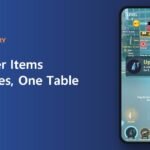


One slot per round.
What goes in it?
FanMaster has you float objects above a wind machine, and before a round starts a single item slot is open. Revive, Blue Sky, AREA, SLOW, Freeze or No Spin: you get to pick one. This post answers the five questions that choice tends to raise, one after another. Names, times and rules come from the game source, and the pictures are real gameplay screens.
There are six FanMaster items, and only one can be equipped at a time. Which one is cheap insurance and which is a gamble? Where does the in-game description differ from what the code really does? That is what the questions and answers below sort out. The numbers are code defaults, and a few of them can be changed from the server side, so take that as said up front.
The slot holds just one item. How do you get one?
Question What does the item window show, and is there a free way to get an item?
Answer Open the ITEM tab in the bottom bar. From the top you see Game Item Slot ×1, then Game Items with six icons. The slot is exactly one cell, so if something is already equipped and you pick another, you get Only one item can be equipped in the slot.


- Tap an icon, read the description and tap YES. A rewarded ad plays and the item is equipped afterwards. Watching one ad also switches on the item pass, and while it runs you equip items with no ad. The pass is 5 minutes in the code defaults and can be changed through the admin setting (FCM).
- On your first visit of the day (not on the day you install), a gift popup equips one random item of the six for free. If the slot is already full, the equipping is skipped.
- The slot is emptied every time the app starts. An item is a one-round consumable, and the slot labels it (×1) for Revive and (1R) (one round) for the others.
- The two Record Items (NEW and TOP) below the list are not used inside a round. They roll your progress back instead: one restarts from level 1, the other resumes from your best level, and both show an ad and then return you to the home screen.
Does Revive really put a fallen object back?
Question I hear Revive only works once. How does it bring the object back?
Answer It does what the description says: uses wind to return a fallen object and fan to their starting positions 1 time. It fires automatically within 0.8 seconds of the drop starting and pulls the object up over about 0.45 to 0.90 seconds, from where it is to the center (x=0) at a spot one unit above the top of the fan. During that time gravity is off, the wind machine returns to the center and your input is locked for a moment.


- A comment at the top of the code says “2 times”, but the actual charge is 1 (only a Revive received as the daily gift adds 1 more). The in-game wording, “1 time”, is the right one.
- If the round ends without you using it, it is gone anyway.
If I hate rain and snow, is Blue Sky the answer?
Question Weather rounds feel like a burden. Does Blue Sky stop all of it?
Answer The description says it blocks all weather effects and shows a clear blue sky background for the entire round. It triggers the moment the round is prepared and is used up right then, and a blue sky with slow clouds is drawn behind the play. There is one more thing the description leaves out: it blocks special modes too. It is not only the weather. The shaking, darkened and otherwise twisted rounds disappear with it.
 Blue Sky: a blue sky and clouds, and no weather arrives.
If my control is shaky: AREA, SLOW or No Spin?
Question Keeping the object above the fan is hard for me. Which of the three helps?
Answer All three start working as soon as the round starts and last one round. They are not the same kind of help, though, because each one touches something different.


- AREA is a guide that shows the left and right wind boundaries and a floor line. The force on the object stays the same, so this item helps your eyes. The lines are blue in dark mode and red in light mode.
- SLOW puts a multiplier of 0.2 to 0.5 (random per round) on the object’s motion. The description says “up/down, left/right, rotation”, but the code applies it only to the maximum horizontal speed and the rotation speed limit. Fan speed is unchanged.
- No Spin locks rotation completely. The object moves up, down, left and right as usual but never turns, so you lose fewer rounds to an object rolling off.
Does Freeze really lock it just before the end?
Question It says it freezes the object 3 seconds before the round ends. So everything before that is on me?
Answer Yes. 3 seconds before the target time it locks the object where it is, starts the ice effect and turns the fall check off. As the description says, you win automatically 3 seconds later, so the stretch where you actually need the fan is the target time minus 3 seconds.
 Freeze: the object sits in a block of ice, and 3 seconds later you win.
Other items vanish when the round ends, but Freeze is consumed only if it actually froze. If you dropped the object before the freeze, it is still in the slot for the next round.
To sum up: Revive is the insurance for a fall, Blue Sky wipes out weather and special modes together, AREA, SLOW and No Spin each help your eyes, your hands or the rotation, and Freeze guards the last 3 seconds. With a one-cell slot, just put in whatever you fear most in today’s round.

Play FanMaster now
Playing it is much faster than reading about it.
Find the other Master Series games all in one place at hanilab.app.
More from this game
 FanMaster Objects Audition: 51 Objects from Apple to Baby Elephant, Read as a Script
 FanMaster Game Over: 7 Mistakes That Make You Lose
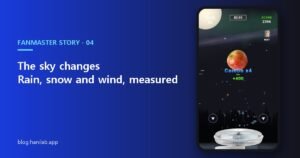 FanMaster weather — we measured rain, snow and wind with a rig, and only snow is really hard
 FanMaster Special Modes — We Switched On All 31 Unannounced Tricks, One by One
🌌 Universe stories
 Roddy Universe, Part 2 — Fallen Down, Only One Step Back at the Roadside
 Roddy Universe, Part 1 — One Beat Before Crossing, the Empty Road Between the Cars
 Bombi Universe, Part 2 — Behind You: The Reaper That Walks Through Walls
Try other games
 PathMaster
 AstroMaster
 BurstMaster