


“I’m standing right,
so why won’t it fill?”
Standing on two feet and trying to fill a foot-height cell is the most common stall. Below are seven mistakes that follow it, and how to fix each one.
Trying to fill a foot-height cell while standing on both feet is the most common PoseMaster mistake. This post walks through seven of them in order, starting with that one, and checks what went wrong on real game screens. Every point uses only facts taken from the game’s rules.
Trying to fill a foot cell while standing on two feet
If a cell of the target block sits at side-kick or knee-lift height, it will never fill while both feet are planted. Foot moves in this game are one foot at a time. You can’t raise both legs at once while standing (side kick and knee lift are one-sided), so when the block shows a foot-height cell, drag one foot handle up. The first time you meet a stage like this, from Level 4, a guide card tells you before you start.
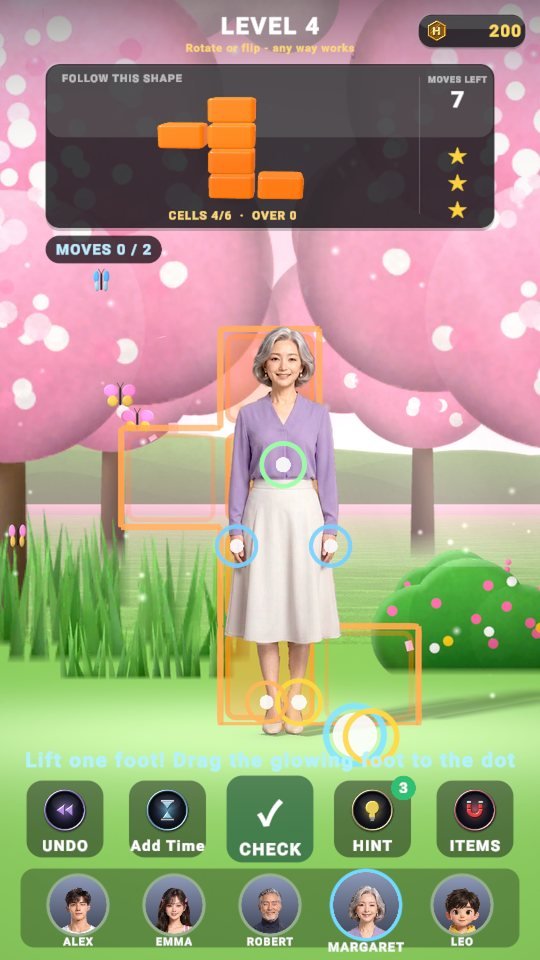 Level 4 – a foot handle glows and the hint reads “Lift one foot! Drag the glowing foot to the dot”.
Solving a lying-down shape with hands and feet
If the shape is lying on its side, the answer is not the limbs but the body. Lying down and handstands belong to the green body handle alone: grab it at the chest and pull down, and the body lies down. To lie the other way, grab the middle of the body and pull it over the opposite way. One more thing: a lying body that floats above the ground is not accepted as correct, so it has to land exactly on the lying step.
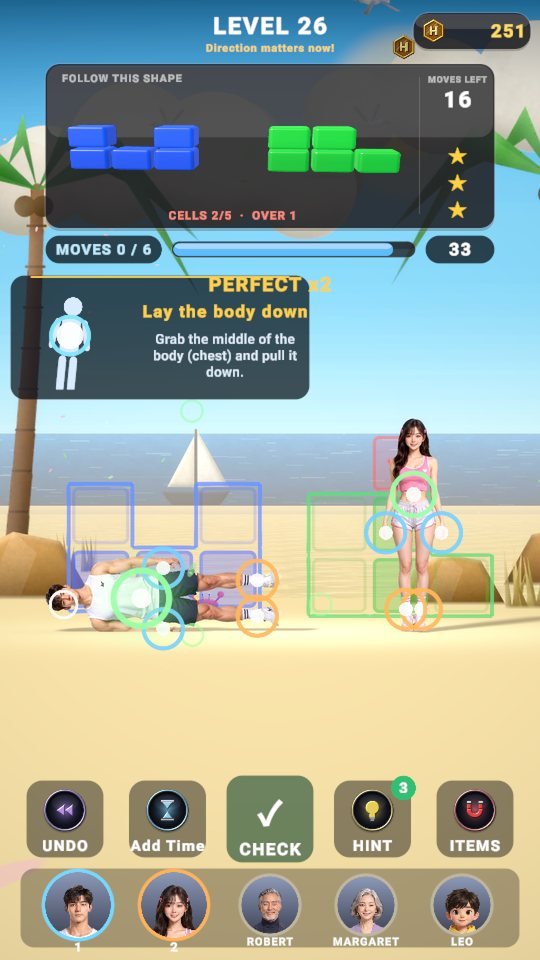 Level 26 – the “Lay the body down” guide card is up. Pull the green body handle down.
Tapping handles at random until the moves run out
The move limit starts at Level 4. If you poke at limbs one by one hunting for the answer, it runs out fast. First read which body part has to fill which cell on the target block, then move with the minimum shown in “MOVES 0 / m” as your guide. If you run out there is a continue option, but finishing a stage cleanly is also better for your stars.
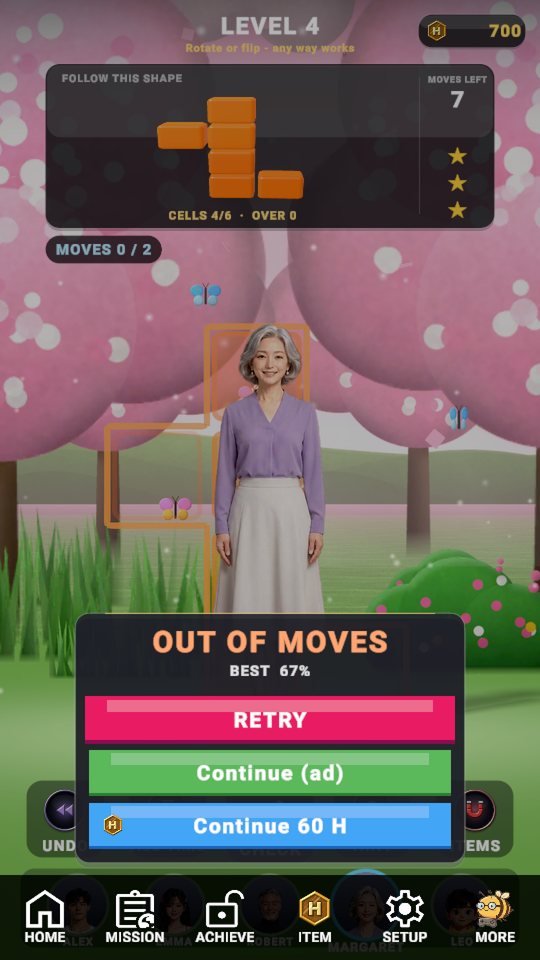 When the moves are gone, the “OUT OF MOVES” window opens and you can choose Retry or Continue.
Calculating without watching the time bar
Levels 1 to 10 have no time limit, so the relaxed habit you built there causes trouble when Level 11 arrives. From Level 11 a time bar appears, and for the last 8 seconds a “HURRY UP!” warning shows with a beep every second. For a stage that needs long thinking, use the Add Time item or a hint.
 Level 12 – when the clock hits zero, the “TIME UP” window opens.
Keep dragging with someone who can’t do it
Even the same shape may or may not work depending on who builds it. For example, a cell that needs a side kick can only be filled by Emma and Leo, and a small, low shape favors Leo. When a person can’t make the block, the game tells you so; don’t drag the handles further. Drag a portrait from below to swap the person.
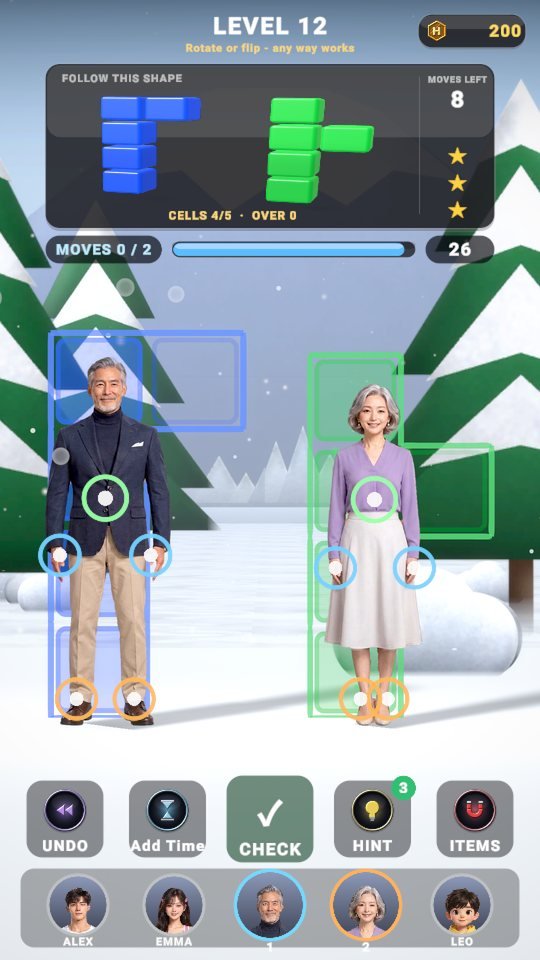 Level 12 – two people stand in the scene, and the portrait row below lets you swap them.
Missing the block on a memory stage
On the last stage of each people-count range (like Levels 30, 60 and 90), the block is visible for only a quarter of the time limit and then hides. If you look away when “REMEMBER IT!” shows, the answer is gone. Memorize the shape cell by cell the first time it appears, then start. Time is added a little while it is hidden and shown again.
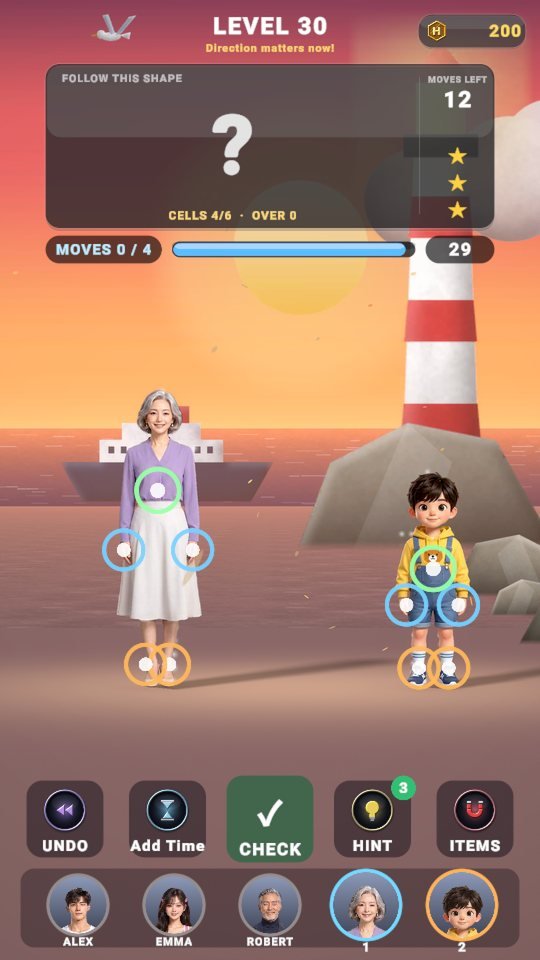 Level 30 – a memory stage, with the target panel hidden behind a question mark.
One cell short, and you just press CHECK
CHECK is not a submit button. The moment every cell is filled the stage clears automatically; CHECK only asks “is it right yet?”. If you’re short, it points out the blinking empty cell, and if a body part is sitting on a red cell, it tells you which part to take off. Instead of mashing it, read the filled and overflow counts on the status line; that’s faster.
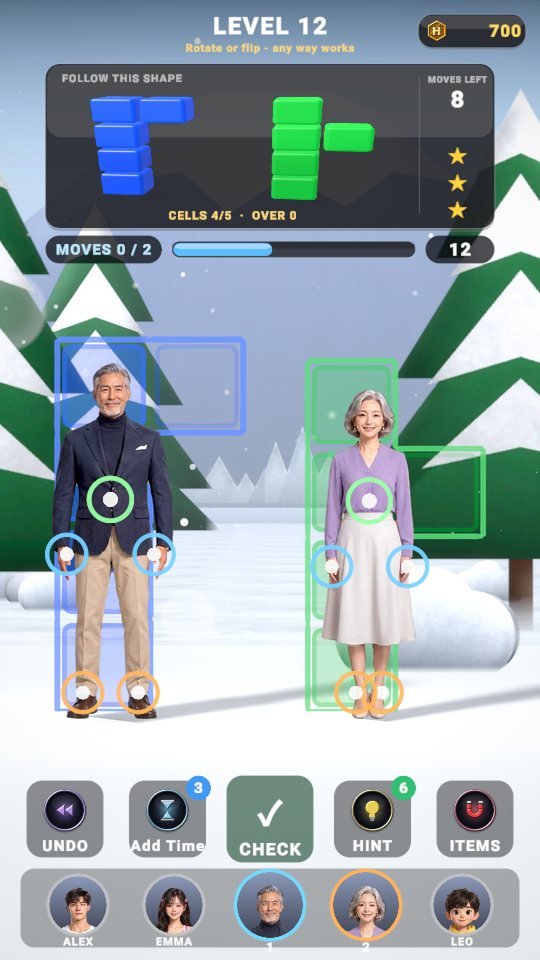 Level 12 – “CELLS 4/5 · OVER 0”. With one cell empty, pressing CHECK won’t move you on.
- A foot-height cell? Then lift one foot.
- A lying shape? Then the body (green) handle.
- Read the parts and cells before you tap.
- From Level 11, watch the time bar.
- If it won’t work, swap the person.
- On a memory stage, memorize at the start.
- Read the filled and overflow counts, not CHECK.
Once you know all seven, you’ll see that most stuck stages were never about “what to drag” but about “who, and how”. Next time you’re stuck, run down this list from the top.

Play PoseMaster now
Playing it is much faster than reading about it.
Find the other Master Series games all in one place at hanilab.app.

More from this game
 What Changes in PoseMaster as Levels Rise? A 6-Question Interview with Margaret
 PoseMaster Daily Check-in, Missions and Shop: A One-Day Play Diary
 PoseMaster 3 Stars Explained: Par, Move Limit and PERFECT Time Formulas
 PoseMaster Handle Controls: Drag, Tap and Lie Down in 5 Steps
🌌 Universe stories
 Roddy Universe, Part 2 — Fallen Down, Only One Step Back at the Roadside
 Roddy Universe, Part 1 — One Beat Before Crossing, the Empty Road Between the Cars
 Bombi Universe, Part 2 — Behind You: The Reaper That Walks Through Walls
Try other games
 FanMaster
 BurstMaster
 WingMaster