


In TapMaster special modes, most lost rounds are not lost to the ball but to hands that start shaking first. When the screen darkens, the ball seems to double or it fades out, you could just tap the way you always do, yet you end up tapping differently. Here are seven easy mistakes for those moments, written as a checklist.
- Special modes start at level 11. They never appear on levels 1 to 10, and from 11 to 50 each round has a 20% chance of one. Only one is active per round.
- There are 21 modes in all, and this post covers seven of them. When the round ends, everything returns to normal.
- The game never shows a mode name on screen. So instead of names, I describe each one by how it looks.
- The “better way to tap” parts are my own play feel; only the numbers (opacity, time, angle) are source values.
You lose the ball when the screen goes dark
One mode lays a dark cover over the whole round. The heaviest one in the source is 85% black, and both the ball and the background darken with it. The usual mistake is “I can’t see, so I tap faster.” The ball keeps falling just the same, so the first thing to do when it goes dark is pick the ball up again from where you last saw it.
 A scene with the dark cover down: the level, time and score text at the top is dimmed too.
You mistake the blue afterimage for the ball
This mode adds a translucent blue copy that trails behind the ball (opacity 0.38, for the rest of the round). The copy only has the shape; it is not the real ball. If your eyes follow the copy, you will always tap a beat late. A handy rule: the afterimage is the one chasing from behind, and the real ball is the one in front.
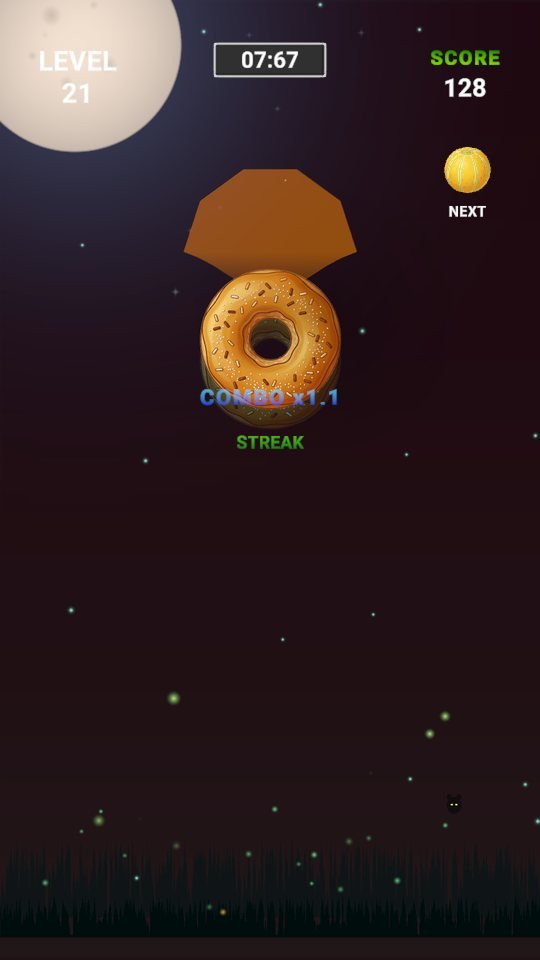 The same round with this mode on. Watch for the copy trailing behind the ball, not the ball itself.
You think the faded ball has “vanished”
In this mode the ball fades down to opacity 0.22. The fade takes 2 seconds and lasts to the end of the round. It is just hard to notice: the ball moves exactly the same, and the outline of the base under it can even look sharper. It has not disappeared, so do not give up; watch the base and the score change together.
 The ball about 1 second after the mode kicks in, while it is still fading.
You mash taps during the 1.4-second screen glitch
In this mode two layers, teal and pink, flicker out of alignment by about 14 pixels. It lasts only 1.4 seconds. It is a moment that makes you panic and mash, but since the effect passes quickly, it is better to watch only the ball’s height and keep your usual rhythm.
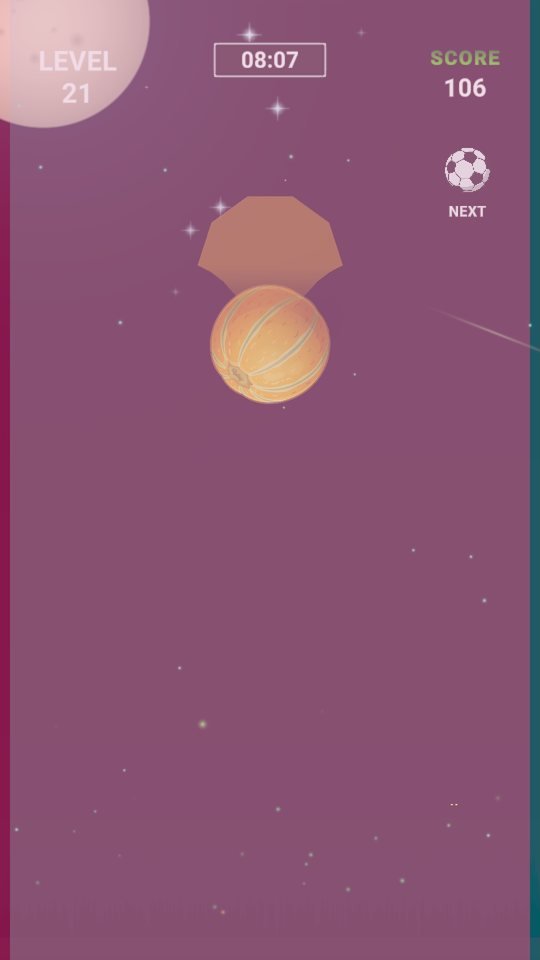 A scene during the glitch, with the screen tinted pink.
You shrug off the thin haze
This mode lays a light 33% black cover over the round. The source name says vignette, but it is not just the edges that darken; the whole screen darkens evenly. The lighter it is, the easier it is to feel “it’s the same as usual,” and that is when your checking of the ball’s position goes slack. Keep your eyes on the ball.
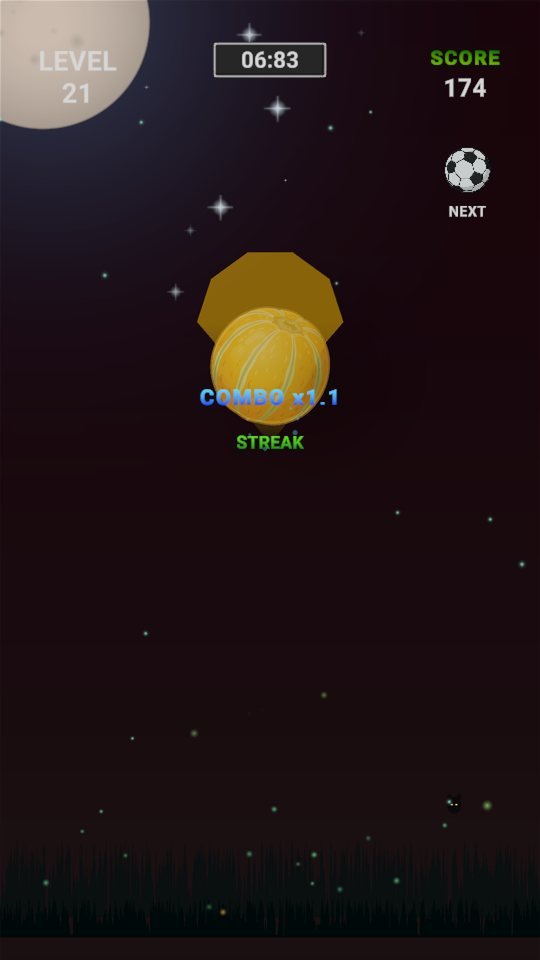 A scene with the light cover down; the difference from normal is small.
You blame the “narrowed view” on the edges
One mode sounds like it would narrow your view, but in the source it is not an effect that shrinks the edges. It lays 65% black evenly over the whole screen. So rather than leaning in because “I can’t see the corners,” read the flow through the middle: where the ball goes from and to.
 A scene under the dark cover. The text at the top and the next-ball slot are dimmed too.
The light follows the ball, but your hand goes first
Only a circle around the ball is lit, and the other 94% is darkness. The lit circle moves with the ball, so there is no need to grope outside it. The mistake is to look outside the circle and guess the next position, which makes you a beat late. Just follow the ball you can see inside the circle.
 A scene in this mode: most of the screen is dark, and only the lit circle shows anything.
- Another mode shakes the camera by ±2.8 degrees, 1.3 times per second. It lasts to the end of the round, and what looks tilted is the screen, not the ball’s physics.
- The seven scenes in this post were shot by forcing each mode on one at a time. In a real round you meet only one per round.
The checklist in one line
When a mode kicks in, just re-check where the ball is and tap with your usual rhythm. Only the screen changes; the rules stay the same.

Play TapMaster now
Playing it is much faster than reading about it.
Find the other Master Series games all in one place at hanilab.app.
More from this game
 [LIVE] TapMaster Drop Booth: Bubble and Stone Fall on the Same Night
 Rain, Snow, Wind in Numbers First: TapMaster Weather Values
 TapMaster First Game Walkthrough: Six Steps from Home to Clear
 TapMaster Mission Rewards: Settings, Ranks and Unlocks in Five Q&As
🌌 Universe stories
 Roddy Universe, Part 2 — Fallen Down, Only One Step Back at the Roadside
 Roddy Universe, Part 1 — One Beat Before Crossing, the Empty Road Between the Cars
 Bombi Universe, Part 2 — Behind You: The Reaper That Walks Through Walls
Try other games
 FanMaster
 BurstMaster
 WingMaster