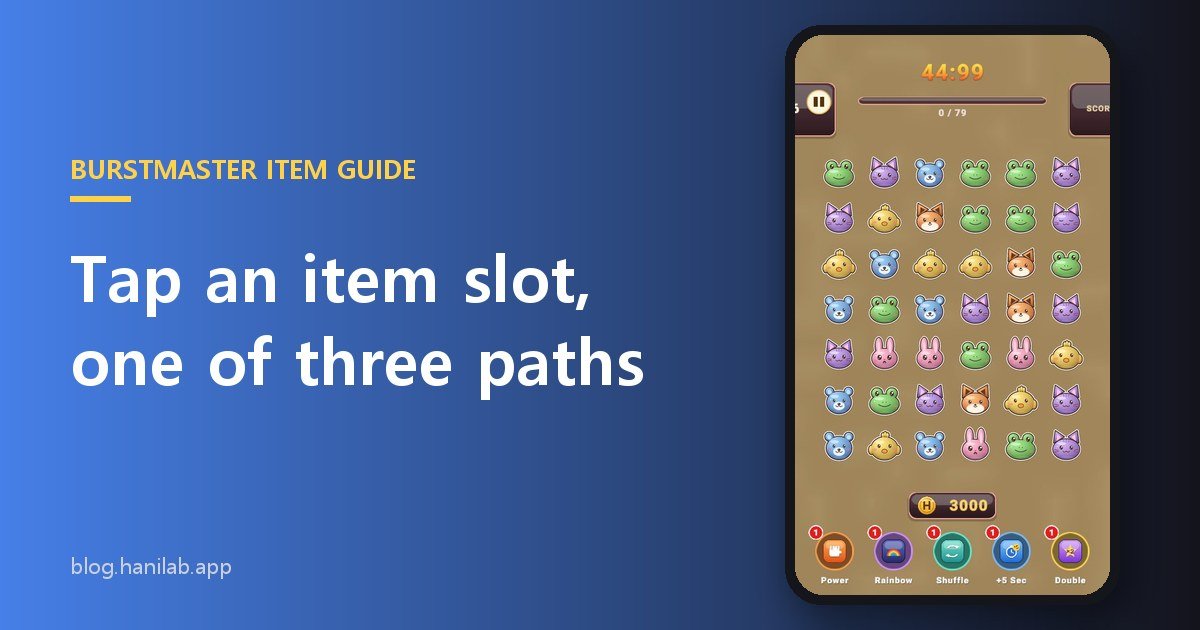

Tap one item slot,
and the game sends you down one of three paths
In BurstMaster you don’t pick items before a round starts. Five slots sit at the bottom of the screen the whole time, and you tap one when you need it. Instead of listing the effects one by one, this BurstMaster guide follows what happens inside the game, in order, after you tap a slot. Whether you already own the item, whether you have coins, or whether you will watch an ad decides which path you take.
Every number and line of text in this BurstMaster guide comes from the game source. The pictures are real game screens captured with the English UI, and the prices are for a fresh start (best level 1 to 9). Where a value I calculated from the source differs from what showed up on screen, I say so.
The item bar: what the five slots look like
The board is a 6-column, 8-row field of animal tiles. Right under it sits a coin chip (an H mark and a number), and under that a row of five round item slots. From the left they are Power · Rainbow · Shuffle · +5 Sec · Double. Each slot has its name underneath, and two things can sit on top of it: a price chip (100 · 120 · 70 · 60 · 60) and a red count badge that only shows up when you already own that item.
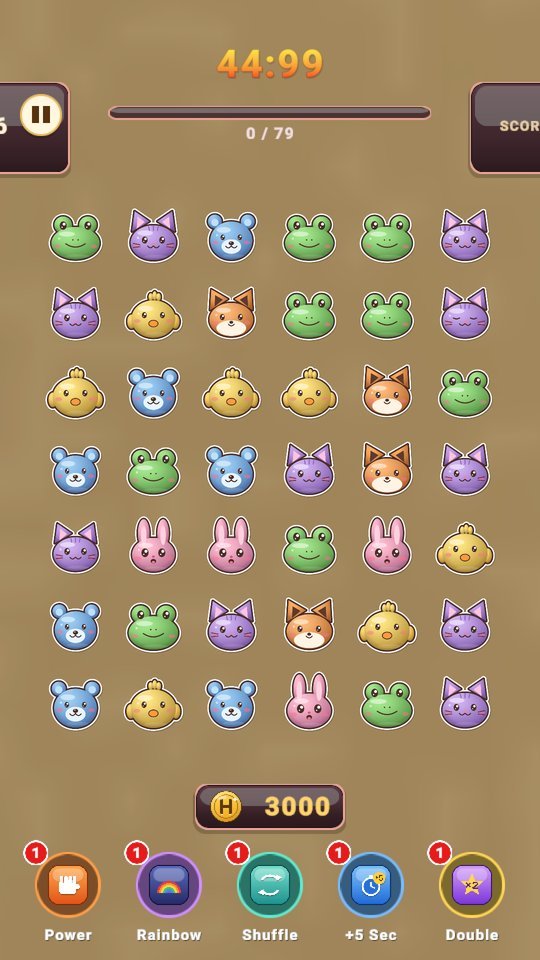 The item bar under the board, with a red count badge (items owned) on every slot
If you own more than 99 of an item, the badge reads 99+. When the coin chip or a badge changes, the bar redraws itself, so there is nothing to refresh. During moments when items can’t be used, such as a big effect playing, the whole bar turns faint (55% opacity), and tapping does nothing.
The item bar only appears while a round is running. It stays hidden on the home screen and while the pause menu is open.
The three paths at the moment you tap
When you tap a slot, the game checks three things from the top. It takes the first path that applies and ignores the rest.
If the red badge shows 1 or more, one copy is used up and the item fires right away. Not a single coin is spent.
Checked firstWith none owned and coins at or above the price, the game pays the price on the spot and fires the item. You hear the purchase sound.
Second“Use the item after watching an ad?” appears with Yes / No. Pick Yes and the item fires after you watch the ad to the end.
LastThe coin order matters too. As a source comment puts it, the item goes out only after the coins have really left your balance. If the item went first while the balance was short, it would be a free use. So even with 0 coins, or tapping like crazy, you never get a free item.
What happens on the ad path
The third path is a little longer, so it gets its own part. While the question window is open, the game is paused. The clock and the input both stop, so thinking it over doesn’t eat your round time. The window doesn’t close when you tap outside it, so you have to answer Yes or No.
- No — nothing happens and you are back in the round. Coins and items stay exactly as they were.
- Yes — a rewarded ad has to be ready. If it isn’t, a short notice appears and the item does not fire. The source comment gives the reason: when no ad exists, the watch function would just hand out the reward, so the game blocks that case first to stop free use through airplane mode.
- You watch to the end — only then does the item fire. If you close it early or it fails, nothing is given. When the ad ends, the paused round flows again.
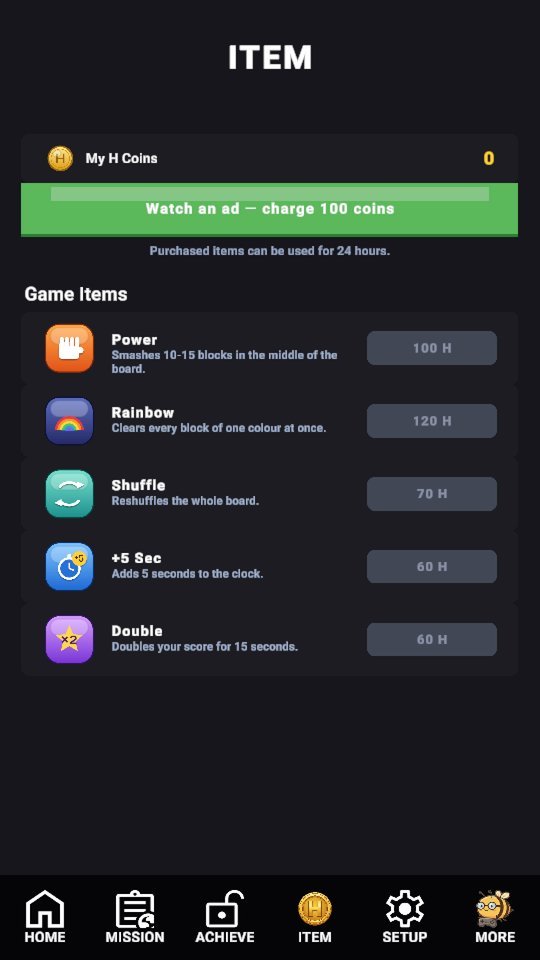 The ITEM page on the bottom bar: My H Coins, “Watch an ad — charge 100 coins”, and the five items (Power 100 H · Rainbow 120 H · Shuffle 70 H · +5 Sec 60 H · Double 60 H)
Apart from this path, where one ad pays for one item, the item page has an ad button that charges coins. It uses the same kind of ad but serves a different purpose. The first is that single use. The second raises your coin balance so that path 2 opens up in later rounds.
What actually happens after the tap: the five items
When an item fires, its picture flies to the middle of the screen, grows big and slams down, and then the effect plays. These are the effects I confirmed in the source.
| Item | Text in the game | Actual effect | Base price |
|---|---|---|---|
| Power | Smashes 10-15 blocks in the middle of the board. | A fist slams into the center and breaks 10 to 15 tiles (random) | 100 |
| Rainbow | Clears every block of one colour at once. | Removes the single most common color on the board. You can’t choose the color | 120 |
| Shuffle | Reshuffles the whole board. | Rearranges the board. Special tiles stay as they are | 70 |
| +5 Sec | Adds 5 seconds to the clock. | Clock +5 s, capped at 99 s | 60 |
| Double | Doubles your score for 15 seconds. | Score multiplier ×2 for 15 s | 60 |
Power: the fist that breaks the middle
Every broken tile scores, and tiles that break later score a little more. Each tile is worth 1 × 2.0 × (1 + order × 0.15), rounded. With 10 tiles the per-tile score climbs from 2 to 5 for a total of about 34, and with 15 tiles it passes 60 (a worked example). The goal of level 1 is 43 points, so in your first round one item use is worth about as much as the whole goal. Once the goal moves into the hundreds, that share shrinks.
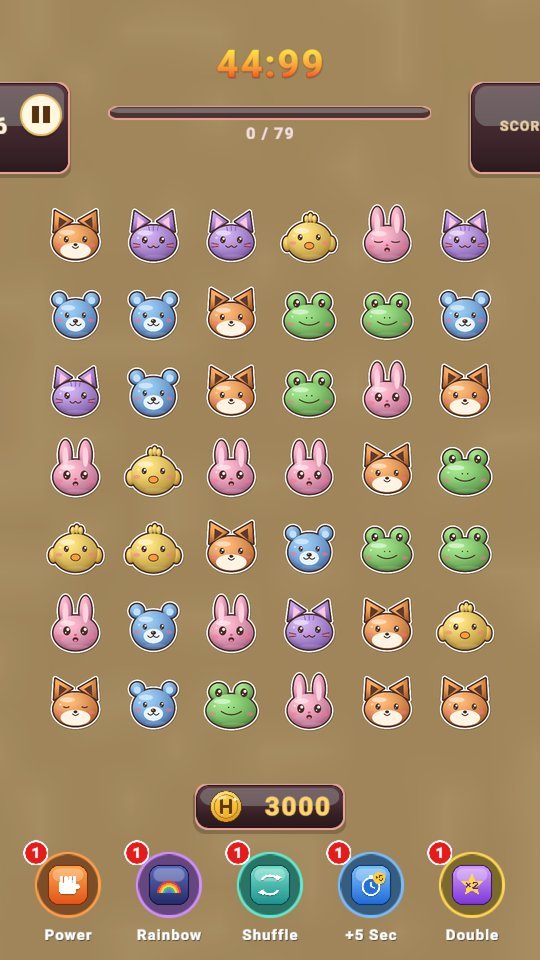 Just before Power: the board looks ordinary, and the item bar at the bottom catches the eye first
Rainbow: an eye for the most common color
By the name you might expect an item that clears a color you pick, but the source scans the board and picks the most common color by itself. You don’t choose it, so it helps to glance over the board first and see which color leads. In the early levels there are 5 kinds of tiles, so each color has many tiles and a lot disappears at once. From level 14 there are 7 kinds, and the same color is more spread out (the number of kinds is from the source; the actual count differs every round).
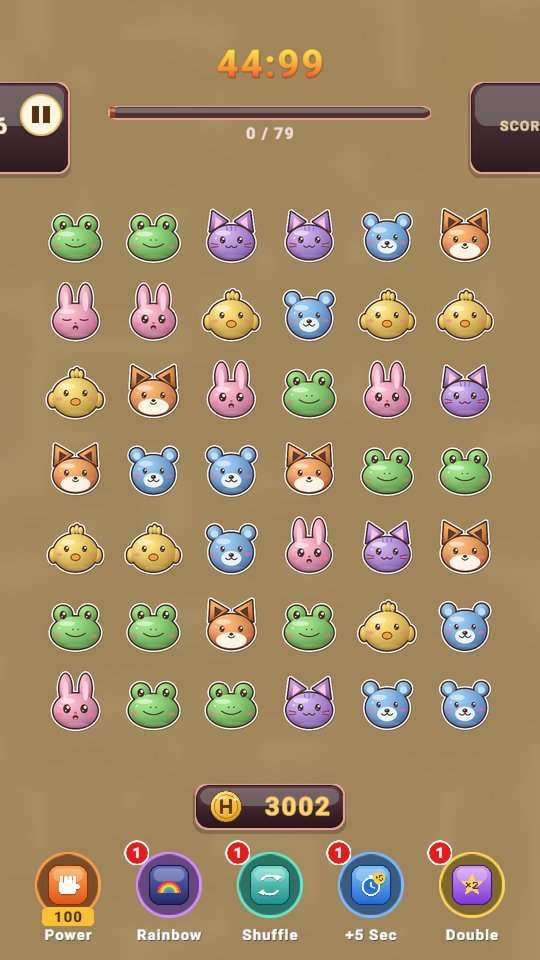 Just before Rainbow: foxes, chicks, frogs, bears, rabbits and cats are all mixed together
Shuffle · +5 Sec · Double
Tap Shuffle and two rotating arrows appear in the middle. The clock keeps running during the shuffle, so use it only when you really need it. +5 Sec arrives as a clock picture with a +5 badge, and soon a +5.0s text rises beside the clock. Double appears as a yellow star engraved with ×2, and after that a ×2 text hangs over the board.
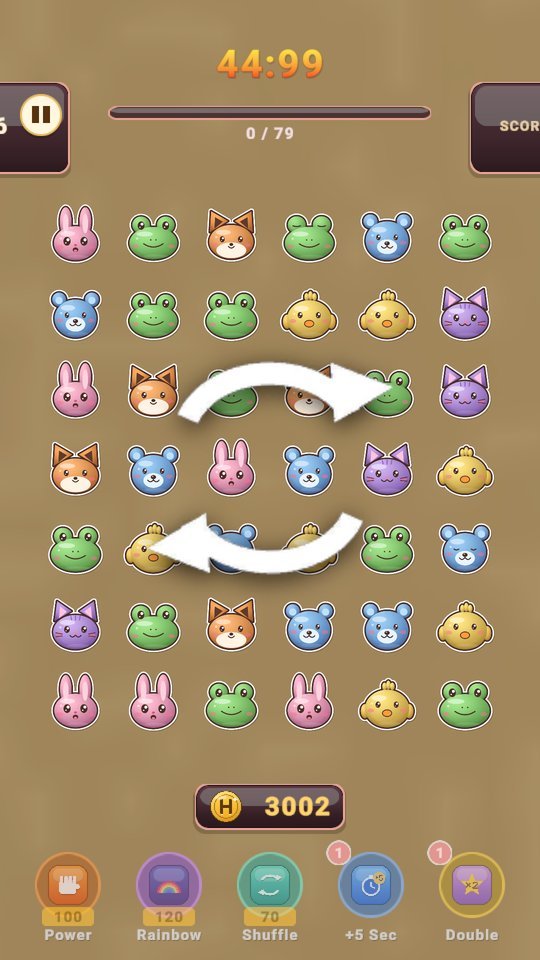
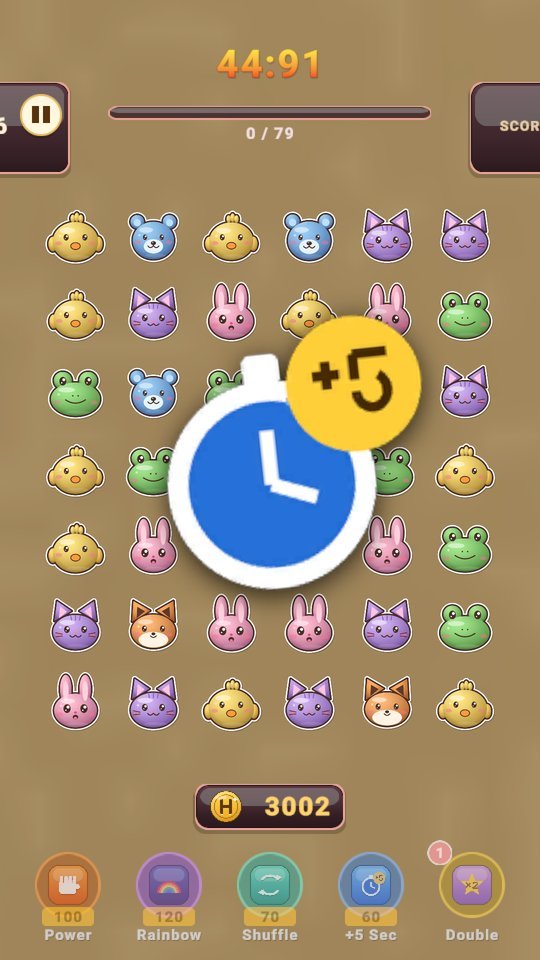
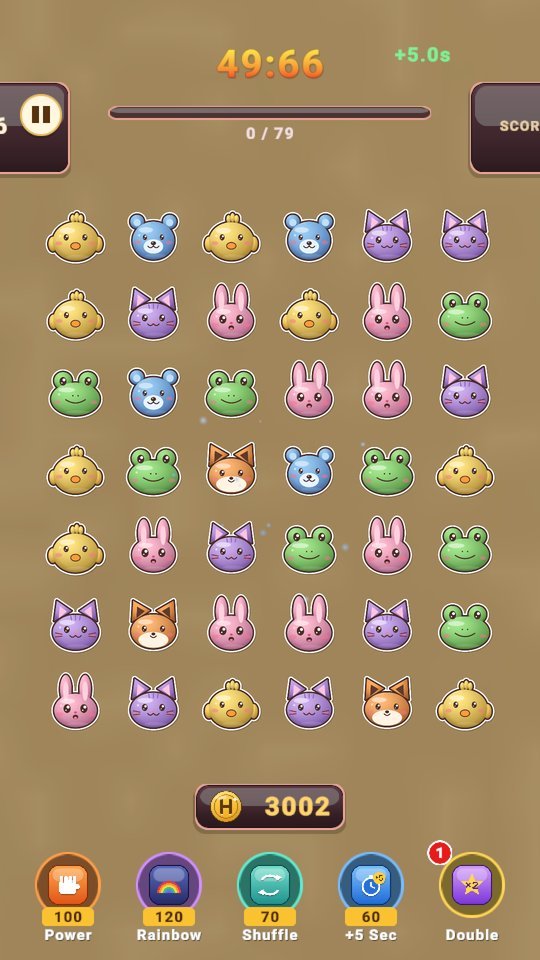
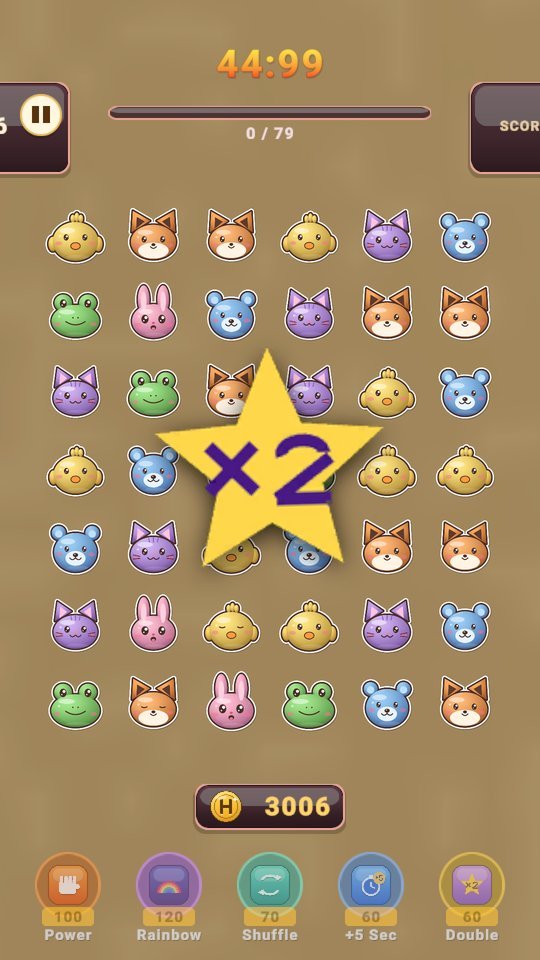
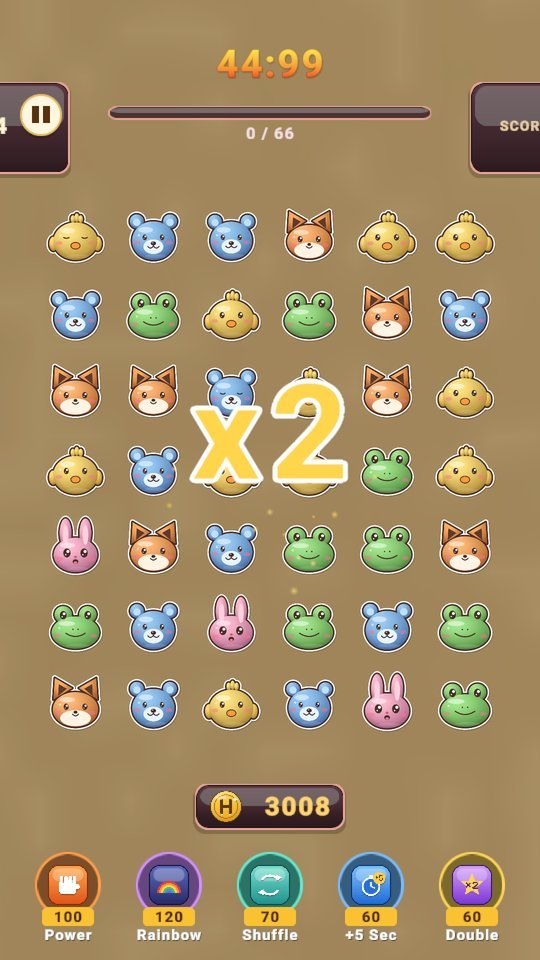
Prices go up, but what one ad buys stays the same
The price list is not fixed. Each time your reached best level passes another 10 levels, it steps up once, and it never comes back down. The multiplier is 1 + 0.6 × ln(1 + level ÷ 25) and it stops at a maximum of ×4. Calculated from the source formula, it works out like this.
| Best level | Multiplier | Power | Rainbow | Shuffle | +5 Sec | Double | Ad charge |
|---|---|---|---|---|---|---|---|
| 1~9 | ×1.00 | 100 | 120 | 70 | 60 | 60 | 100 |
| 10 | ×1.20 | 120 | 145 | 85 | 70 | 70 | 120 |
| 30 | ×1.47 | 145 | 175 | 105 | 90 | 90 | 150 |
| 50 | ×1.66 | 165 | 200 | 115 | 100 | 100 | 170 |
| 100 | ×1.97 | 195 | 235 | 140 | 120 | 120 | 200 |
The table above is calculated from the formula. What I confirmed on screen is only the 1~9 range, with 100 · 120 · 70 · 60 · 60 and an ad charge of 100. On a screen captured after playing a while, the price chips read 120 · 145 · 85 · 70 · 70, which matches the level-10 row. The ad charge and the continue cost rise by the same multiplier, so the number of items one ad can buy is the same at every level, and the source comment says that is the design intent. On the other hand, the coins you earn from matches or catch in the bonus round do not grow with progress.
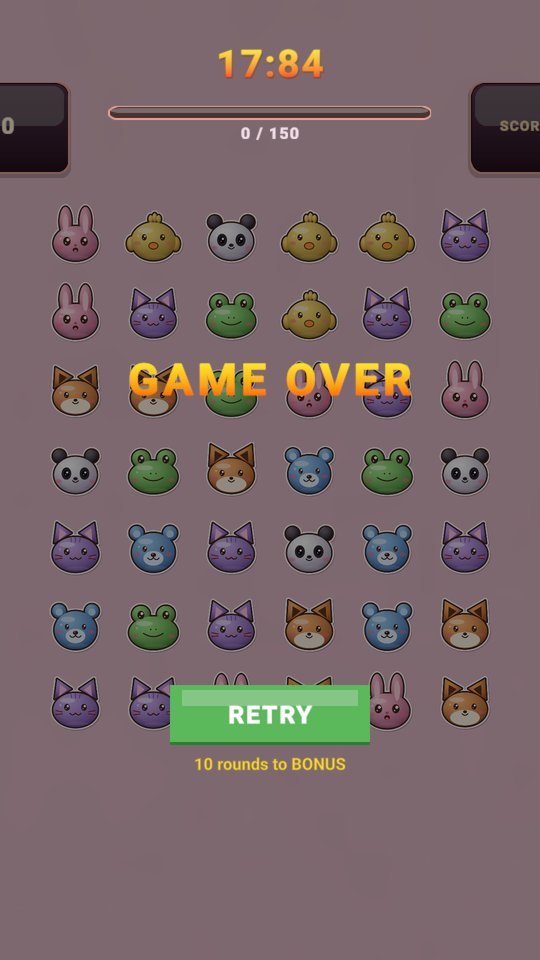 The game over screen: GAME OVER, RETRY and “10 rounds to BONUS”. The continue cost follows the same multiplier
Notes for people who have tried it
- Look at the coin chip before you tap — if the number on the coin chip is at or above the item’s price, you take path 2; if it is lower, path 3. If you don’t want to watch an ad, check your coins before tapping.
- No is a free cancel — even after the ad question appears, tapping No leaves everything unchanged. You can relax if you tapped by mistake.
- A faint slot means wait — when the bar is faint it is a moment when you can’t use items. Don’t tap repeatedly, just wait for the effect to end.
- A refused fire comes back to you — if something else cuts in at the moment you tap and the item is refused, the copy you already used is returned to your stock. It is handled so that you don’t lose what you tapped for.
- A free Power after failing — if you choose to continue on the game over screen, a Power goes off once along with a 22.5 s clock. This Power has nothing to do with the items you own.
Which slot at which moment: situation notes
What each item does is written in the source, but when to use it is up to the person reading the board. Below is a situation-by-situation summary that follows directly from the rules confirmed above. It is less a correct answer than a suggestion: “with these rules, you could think like this”.
| Situation | Slot to think of | Reason (source rule) |
|---|---|---|
| The clock is down to 8 seconds or less | +5 Sec | The clock grows by 5 seconds at once. It is the most direct way to catch your breath in the danger zone (8 s or less). The cap is 99 s. |
| You can’t see a move | Shuffle | It reshuffles the whole board. A stuck board is also shuffled by the game on its own, so it is worth it when the board is not stuck but you “can’t see the line”. |
| One color is clearly the most common | Rainbow | The single most common color vanishes entirely. You can’t pick the color, so use it when the leading color is obvious. |
| Tiles are bunched in the middle | Power | The fist breaks 10 to 15 tiles in the middle of the board. Special tiles you gathered there may go off together. |
| You can see a big chain coming | Double | For 15 seconds the score multiplier gets ×2. The deeper the chain, the bigger the step score, so it is better to turn it on just before the chain. |
Double is a value that is multiplied into the chain multiplier and the combo multiplier. The score of one step is (sum of tile scores) × chain multiplier × combo multiplier × 2, rounded. Whether the finishing bonus added at the end of a chain also gets ×2, I could not confirm in this article. The 15 seconds are counted separately from the round clock, so if you reach the goal while it is on, the time left simply disappears.
Where coins come in and where they go
If you know where the coins for items come from, path 2 opens much more often. I confirmed four ways coins come in from the source.
- Earn them from matches — each cleared group gives 1 coin for 3 tiles, 2 coins for 4, and 3 coins for 5 or more. The coins pop out of the cleared spot and fly to the chip at the top, and each group is counted separately at every chain step.
- Earn them in the bonus game — every ten rounds, for 10 seconds, each tap on an animal face gives 2 coins.
- Charge them with an ad — the ad charge button on the item page gives 100 coins in the best level 1 to 9 range.
- Daily gift — there is a free item notice once a day. I could not confirm the exact payout rule.
Coins go out through item purchases and continuing. Continuing costs an ad or coins (base 300), and the price rises by the same multiplier as the items. Put these numbers in one line and the flow shows up. One Power costs 100 coins, which at 1 coin per 3-tile match is 100 matches’ worth. So an item you pay for in coins is less a “tool you use often” and more “insurance for a moment you truly need it”. On the other hand, one ad (100 coins) leaves 40 coins over after a +5 Sec or Double (60 coins).
Common questions
No. If you own even one copy, that slot takes the first path and uses what you own first.
The window asking whether to use the item after an ad appears. Tap No and you go back to the round with no change.
No. The reward is given only when the signal comes that you watched the ad to the end.
One more thing. The item bar can only be tapped while a round is running. It hides while the pause menu is open, and it isn’t shown on the home screen either. Right after a round starts, it only makes sense once the countdown ends and the clock begins to run.
After you fail: why continuing resembles an item
Items and continuing share the same coin wallet. When the clock hits 0, the game over window shows a continue option and RETRY, and the continue button carries a coin chip (base 300 in the 1 to 9 range). You can also continue with an ad. If you continue, the board and score stay as they are, the clock refills from 22.5 seconds, and a Power goes off once. This Power is given free, regardless of what items you own. Its effect is the same as buying Power from the item bar.
So you face a choice between saving coins and spending them. Buying a Power for 100 coins in the middle of a round, and paying 300 coins to continue after the round ends and getting a Power as a bonus, come from the same wallet. Which is better depends on the situation, but at least keep in mind that the continue price includes one expensive Power. There is also a relief for repeated failure that cuts the goal score by up to 32%, so when your coins are gone, trying again is not a bad choice either.
| Failures in a row | Goal multiplier | Level 20 (goal 150) example |
|---|---|---|
| 1 | ×0.92 | 138 |
| 2 | ×0.84 | 126 |
| 3 | ×0.76 | 114 |
| 4 or more | ×0.68 | 102 |
Once you clear a level, this multiplier goes straight back to 1.0. In other words, even if you spend no coins on items and only retry, there is a separate relief that lowers the goal bit by bit. Whether to save coins is a matter of taste.
Summary: the five slots in one line each
- Power — 10 to 15 tiles in the middle, a score for each tile. For when the board is bunched in the center.
- Rainbow — the single most common color, all at once. Just remember you can’t pick the color.
- Shuffle — a full rearrangement, and the clock keeps running.
- +5 Sec — the clock gains 5 seconds at once, a breather in the danger zone.
- Double — ×2 for 15 seconds, just before a chain.
For all five slots the order of what happens after the tap is the same. The game checks owned, then coins, then ad, and the firing effect plays at the end. Remember that order and no slot you tap will catch you off guard.
Mistakes first-timers often make
- Trying to clear a color of your choice with Rainbow — there is no button to pick the color. The most common color on the board is chosen automatically.
- Tapping Shuffle when the clock is tight — the clock keeps running during the shuffle effect too. If time is short, +5 Sec comes first.
- Turning Double on and then sitting still — the 15 seconds start flowing the moment you turn it on. If you don’t turn it on just before a chain, the time only runs out.
- Tapping repeatedly while the item bar is faint — an effect is playing, so tapping gets no response. Wait until the bar is clear again.
- Tapping outside the ad question window — this window doesn’t close when you tap outside it. You must tap Yes or No.
Each of the five items is a tool that one or two uses per round are enough for, and the stars of a round are still the chains you build by pushing tiles and the special tiles. It is most natural to see items as tools that give you one breath when that flow gets stuck.
The kind and number of free items from the daily gift, any limit on how many times you can continue, and the exact notice shown when no ad is ready were not confirmed in this article. The calculated values in the price table were compared with the game screen only in part.
The item bar has five slots, but the question at the moment you tap is just one.
What do I have in my hand right now?

Play BurstMaster now
Playing it is much faster than reading about it.
Find the other Master Series games all in one place at hanilab.app.

More from this game
 BurstMaster Live Broadcast: 45 Seconds and the Chain That Gives Time Back
 BurstMaster Themes — 52 Cafe Backgrounds Change Every Three Levels, and the Weather Is Off
 BurstMaster special blocks — four makes a line, five a rainbow, L and T a cross and a bomb
 BurstMaster Items — Five Slots Under the Board, and When to Press Each
🌌 Universe stories
 Roddy Universe, Part 2 — Fallen Down, Only One Step Back at the Roadside
 Roddy Universe, Part 1 — One Beat Before Crossing, the Empty Road Between the Cars
 Bombi Universe, Part 2 — Behind You: The Reaper That Walks Through Walls
Try other games
 TapMaster
 BlockMaster
 SnakeMaster