
FanMaster Complete Guide — 7 Fans, 51 Objects, Center Combos, Weather, Special Modes and Items

One fan on the floor,
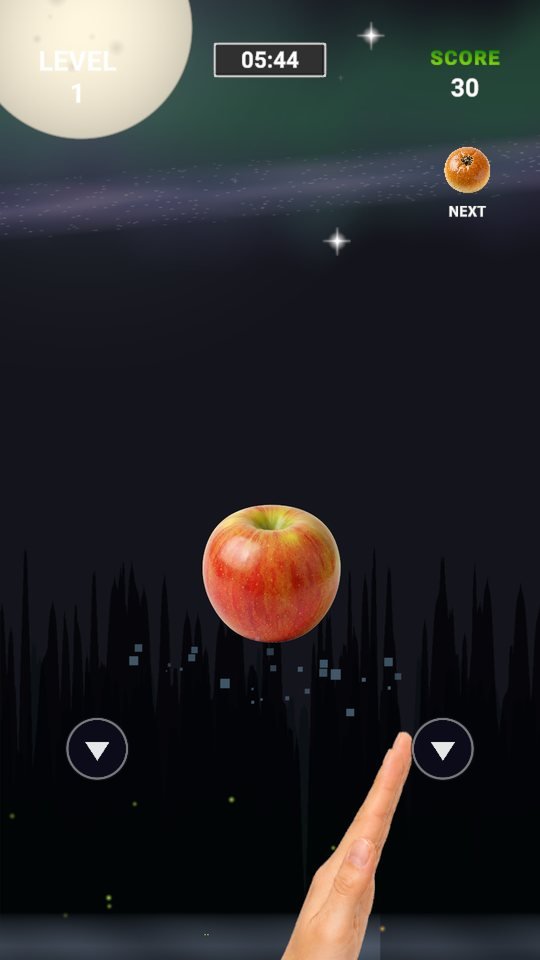
one apple floating above it
At the bottom of the screen sits a wind machine, and above it floats an apple, a baby koala or a bowling ball. Press the left half of the screen and the machine slides left; press the right half and it slides right — that one line is where every FanMaster guide has to start. The thing riding the wind, though, never sits still. It drifts sideways, it spins, and as the levels climb you get rain, snow and gusts, plus the occasional screen that goes dark or starts shaking without warning. The moment the object leaves the wind and drops below the machine, the round is over.

This FanMaster guide covers the whole game in one place: the rules of a round and the controls, the screen layout, how the wind actually lifts objects, the seven wind machines and fifty-one objects, scoring and center combos, levels and difficulty, the hazards (weather, special modes and intruder objects), the six items and the bonus coin round, and finally unlocks, ranks and today’s missions — in the order you meet them in the game. Every number was checked in the game code, and every photo and animation was captured from the real game. It is long, so take your time. If you are brand new, you can jump straight to six things for your first run at the bottom.
※ On the store and under the app icon the game is called FanMaster; the in-game share text spells it “FAN MASTER”. Same game. In this guide, the wind machine at the bottom of the screen is simply called the fan.
- The rules of a round — target time and how you lose
- Screen layout — where to look
- Controls — left half, right half, and letting go
- How the wind keeps objects in the air
- The seven wind machines
- The fifty-one objects
- Score and center combos
- Levels and difficulty
- Hazards ① Weather — rain, snow and wind
- Hazards ② Thirty-one special modes
- Hazards ③ Intruder objects and the danger warning
- The six items
- The bonus coin round
- Unlocks, ranks and today’s missions
- Clear, game over, continue and settings
- Six things for your first run
The rules of a round — target time and how you lose
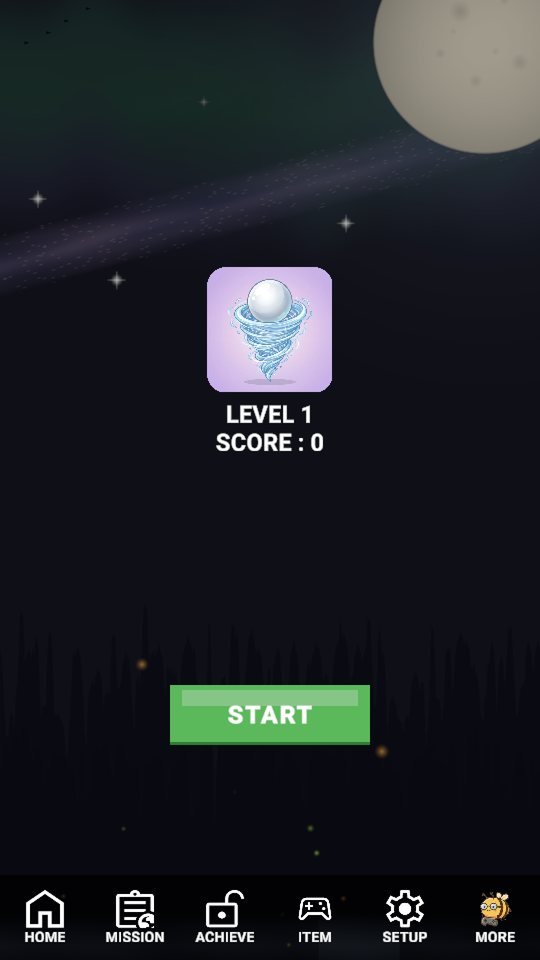
This start screen greets you the first time you open the app. Tap START and level 1 begins right away. There is no in-game tutorial, so the rules boil down to these four lines.
- The object has to stay up on the wind. The fan sits on the floor and blows upward to lift the object. Physics decides the height; all you decide is the left–right position.
- You clear a level by lasting the target time. Levels 1–10 last 6 seconds, 11–20 8 seconds, 21–30 10 seconds, and from 31 on 12 seconds.
- You lose when the object leaves the wind and drops below the fan. Even outside the wind’s half-width, as long as the object is still above the top of the fan you can move under it and catch it again.
- No hearts, no lives. If it falls, you simply replay the same level — and the levels never end.
How a round starts
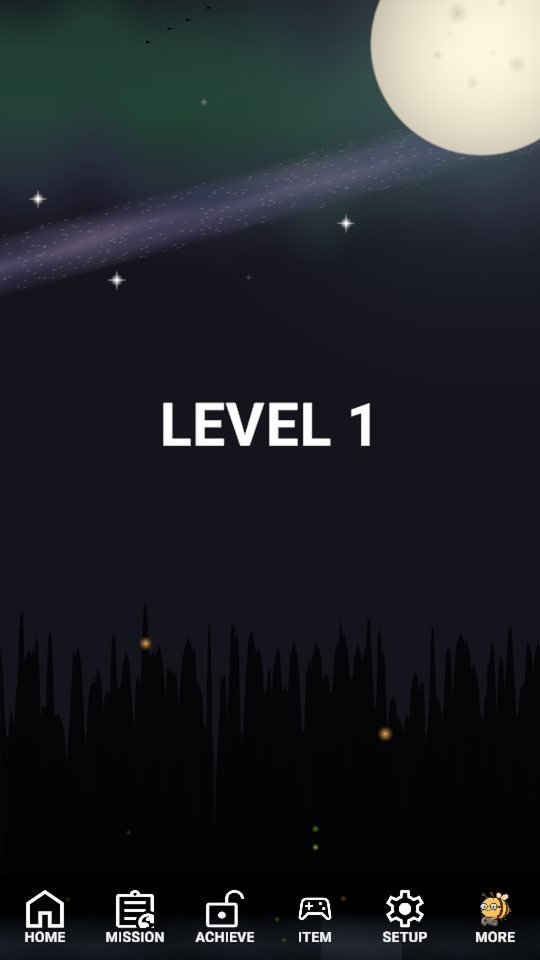
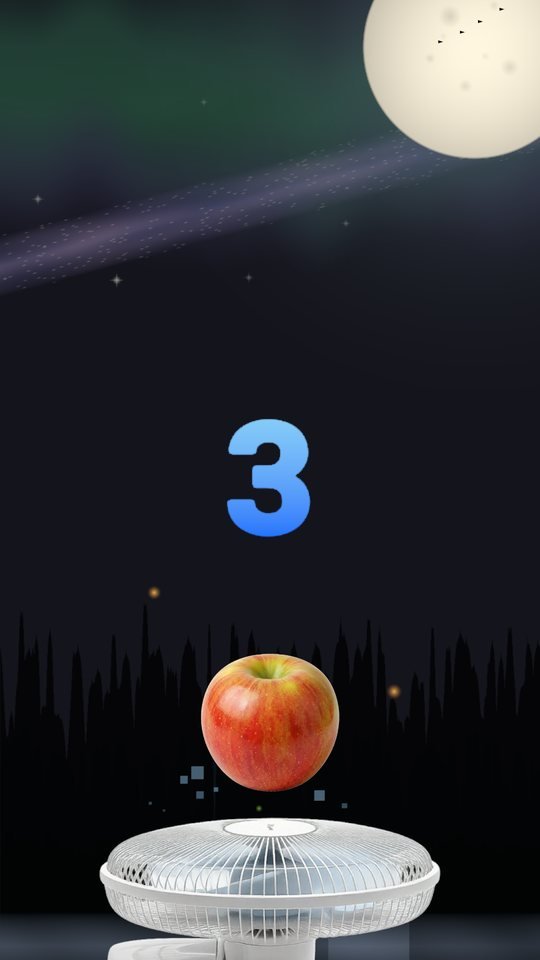

- “LEVEL N” — big letters slide in from the right, stay for about 1.2 seconds and disappear. Meanwhile the top-of-screen display (HUD) is hidden.
- 1.5 seconds later the fan and the object appear. The fan sits at the bottom center, with the object resting quietly on top.
- 3 · 2 · 1 — one second per number, in lettering that blends from sky blue into blue. During these 3 seconds the fan won’t move even if you touch the screen.
- The moment the countdown ends, the object rises. It lifts gently at roughly 0.8–2.0 units per second, the timer starts and the wind sound kicks in. From the start of the level to this point takes about 4.5 seconds.
- Once 3.5 seconds or less remain, a heartbeat sound starts and speeds up. Keep the object up until the clock hits 0 and you get LEVEL N Clear!
A drop doesn’t end things instantly. The result screen appears 0.8 seconds later, and in that gap the Revive item can bring the object back (more in the item chapter). And if you fail, tapping retry resets your score to what it was when that round started — the botched round simply never happened.


Screen layout — where to look
The screen is tall. The top shows your status, the middle holds the wind and the object, and the bottom is where the fan lives and your finger goes. Once a round starts, the menu bar at the bottom hides; it only comes back on the clear, game over and home screens.

- Timer — top center, counting down the time left as 06:00 (seconds:hundredths).
- Level — LEVEL N in the top left.
- Score — top right. White digits tick up in real time under the green SCORE label.
- Next object — the small box under the score shows the object for the next round and the word NEXT. Every so often (once every 10–15 rounds) it is hidden behind a question mark.
- The object — whatever is floating on the wind. The game never shows its name, only the picture.
- The fan — starts at the bottom center and only moves left and right. The white particles rising from it are the wind.
- Two round ▼ buttons — guide buttons in the bottom corners. Pressing them only makes them squish and bounce; the actual input is read from the left and right halves of the whole screen, so you don’t have to hit the buttons at all.
The six tabs of the bottom menu bar
On the home, clear and game over screens a menu bar appears at the bottom. From the left: HOME · MISSION · ACHIEVE · ITEM · SETUP · MORE. They open, in order, the continue screen, today’s missions, the rank and unlock list, the item window, the settings, and the HaniLab app page. We’ll show each of them with screenshots in the later chapters.
Controls — left half, right half, and letting go
There really is just one control. Split the screen down the middle: the fan moves toward whichever side your finger is touching. The button positions don’t matter — you can press anywhere on the screen.
The fan moves left. It keeps moving as long as you hold, and stops where it is when you let go.
Move leftThe fan moves right. How fast depends on the wind machine (chapter 5).
Move rightThe two inputs cancel each other out to zero. Rest a finger on each side and the fan doesn’t move at all.
Stay put
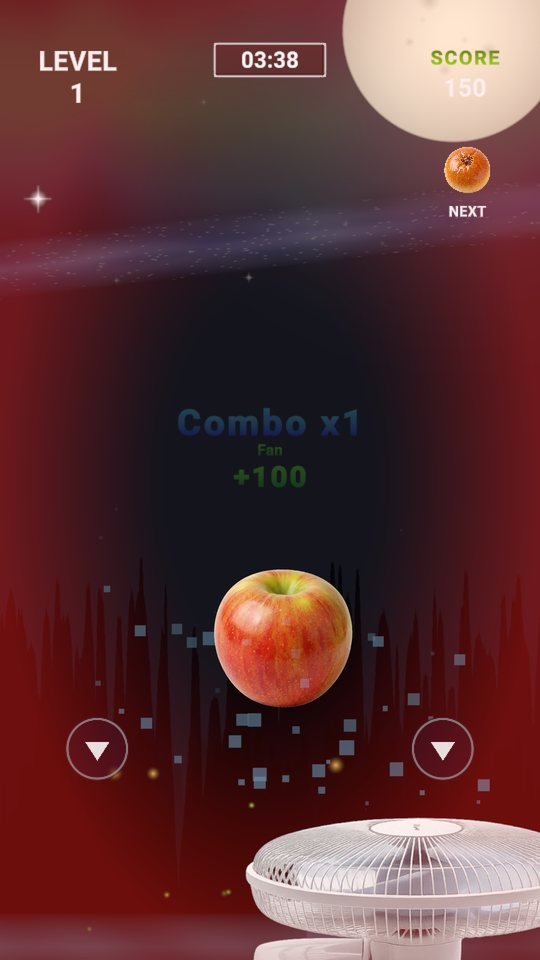
- The fan only moves sideways. It never moves up or down. Height is up to physics; the one thing you set is the horizontal position.
- How far it can move is limited to the screen width. On a tall phone (9:16) that is about 2.8 units either side of center (only the basic Fan is a little narrower at 2.67).
- Every round starts in the center. Wherever you left it last time, a new round always begins at the middle (x=0).
- Letting go and waiting works against you. After about 0.8 seconds without input (down to 0.5 seconds at higher levels) the fan slowly drifts off to one side on its own, and on the object’s side, once the fan has stood still for more than 1 second a sideways push kicks in and builds to its maximum over 3 seconds. In the words of a code comment, standing still is designed to “always fail”. The right answer is short, repeated taps that keep correcting.
- The Android back button closes any open window; if none is open it pauses the game and shows the Do you want to quit the current game? popup (YES · NO).
Snow, which can fall from level 11, cuts the fan’s movement speed by 5% up to 40% (depending on its strength). When you see snow, move earlier and look further ahead than usual. The weather chapter has the details.
How the wind keeps objects in the air
In FanMaster the wind has a left–right width centered on the fan. In this guide we call half of that width the wind half-width. What the wind does to the object depends on how far it is from the fan’s center (as a ratio, with the wind half-width counted as 1).
| Distance from the fan’s center | What happens to the object |
|---|---|
| 0 – 80% (center zone) | Wind that holds it up. Within the inner 25% there is also a gentle pull back toward the center. This is the safe zone. |
| 80 – 100% (edge) | A push outward kicks in, and the wind that was slowing the fall disappears. The closer to the edge, the harder the push. However, if the fan is chasing the object quickly and the object is moving back toward the center, the game actually brakes it and nudges it back toward the middle. |
| Beyond 100% | No wind at all — free fall. Drop below the height of the top of the fan and it’s game over. |
So the whole trick of the game fits into one line: get the fan under the object before it drifts more than 80% away from the center. Past 82%, the edges of the screen flash red as a warning (chapter 11).
The fan’s strength sets the height
How high the object floats above the fan is decided by the wind machine’s strength (N). The stronger the fan, the higher the object rides. We measured it at level 1 with an AI-controlled rig (average over 3 seconds starting 0.8 seconds after the round began; distance from the bottom of the object to the top of the fan; averaged over seven objects): Jet Engine about 2.1 · basic Fan about 1.1 · Hand Wind about 0.8 units. The screen is 10 units tall, so even with the Jet Engine that’s only about a fifth of the screen. You don’t need to worry about height at all — just get the horizontal position right.
Meanwhile, how much an object’s weight affects its height turned out to differ from fan to fan. On the same Jet Engine, a ping-pong ball (0.5kg), a bowling ball (19kg) and a baby elephant (20kg) all floated with their bottoms at around 2.3 units. But when we measured again later with different fans, only on the basic Fan did the lighter objects float higher (ping-pong ball 1.90, baby elephant 1.25). On Hand Wind, Hair Dryer and Jet Engine the result was almost flat. So don’t generalize from measurements taken on one Jet Engine alone (more on this in the objects chapter).

It still bobs, spins and sways
- Bobbing up and down — the object rebounds up and down as if the wind pressure were changing. The weaker the fan, the bigger the bob (Hand Wind and Paper Fan are the worst). Over 3 seconds our rig measured a total up-and-down range of 0.3–0.5 units on the Jet Engine and 0.7–1.6 units on Hand Wind.
- Swaying left and right — there is always turbulence inside the wind zone, and every 4.5 seconds a 0.8-second gust comes through. In the outer 30% the horizontal turbulence switches off, so you don’t get pushed extra near the edge.
- Spinning — the object keeps rotating while it floats, changing direction every 2.5–6 seconds. Rotation has no effect on the score, and a fall is judged by position only.
- As levels rise the wind speeds up (taking level 1 as 0.55, it’s 1.00 at level 100 and 1.45 at level 200), and gravity gets a little stronger too (1.30× from level 200 up).
The seven wind machines
The wind machine changes every round. The seven types come shuffled one full cycle at a time, so within any 7 rounds you meet each of them exactly once (a retry uses up a slot too). Look at the fan on the floor during the countdown and you’ll know what kind of round you’re in.

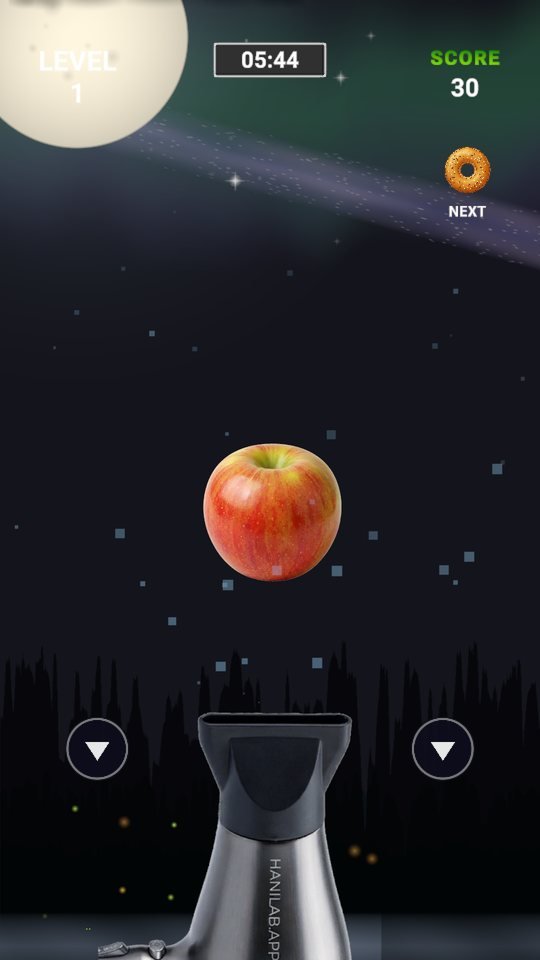
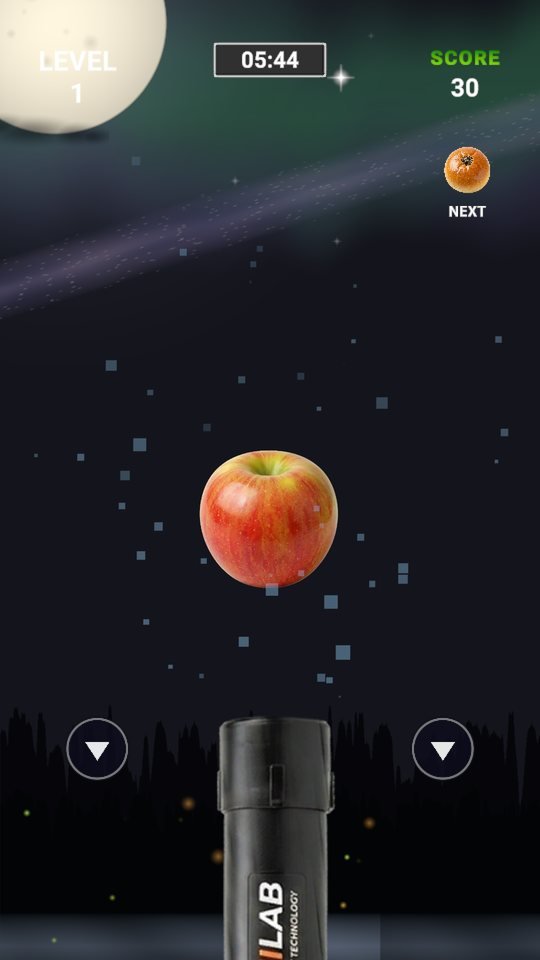
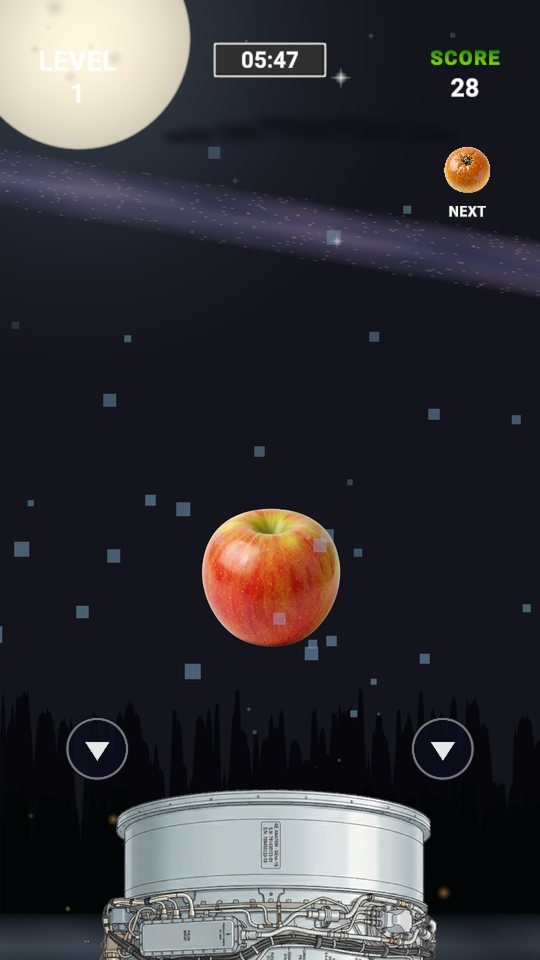
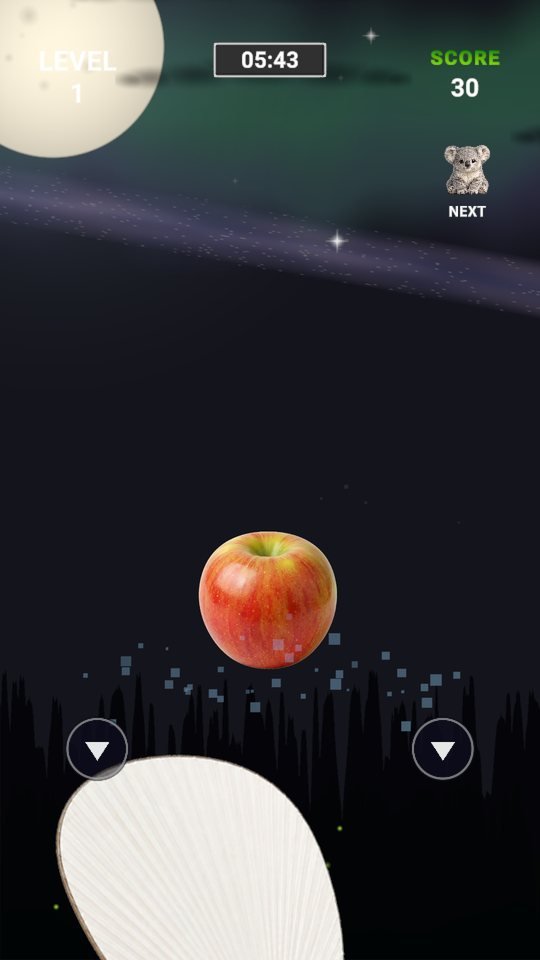
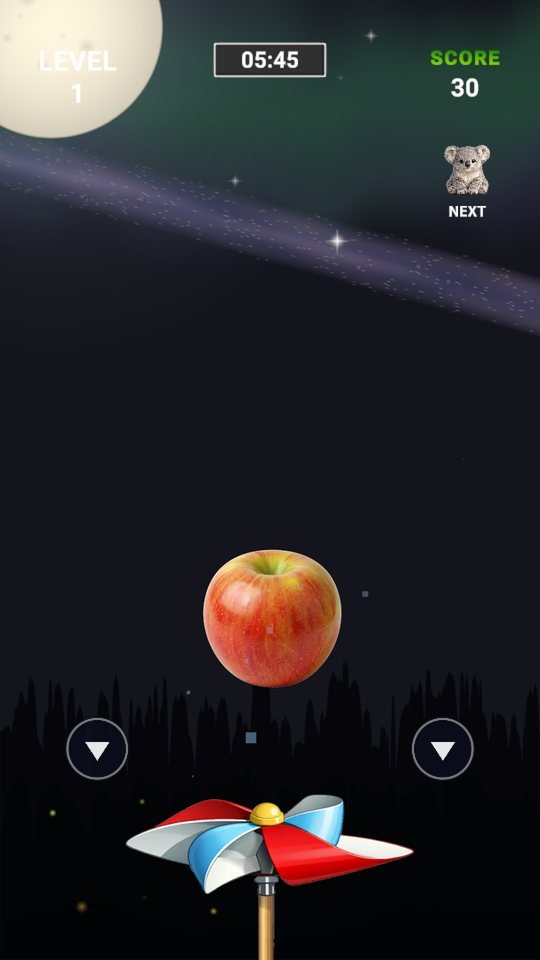
| Wind machine | Wind strength (N) | Wind half-width | Move speed | Center 20% width | Character |
|---|---|---|---|---|---|
| Fan | 20 | 1.41 | 5.5 | ±0.28 | The standard model. Wide and well balanced. Only its movement limit is a little narrower, at 2.67. |
| Hair Dryer | 54 | 0.94 | 7.0 | ±0.19 | Narrow, strong, and the fastest mover. |
| Blower | 48 | 0.90 | 5.5 | ±0.18 | The narrowest wind, so it needs precise control. |
| Jet Engine | 70 | 1.13 | 2.5 | ±0.23 | The strongest and the slowest. Objects float high. |
| Paper Fan | 12 | 1.34 | 6.0 | ±0.27 | Weak but wide; objects bob a lot. |
| Hand Wind | 6 | 0.97 | 6.0 | ±0.19 | The weakest, so it bobs the most. |
| Pinwheel | 24 | 1.20 | 6.0 | ±0.24 | Medium strength. The seventh fan to join the line-up. |
※ Wind half-width and move speed are game data (world units; on a 9:16 phone half the screen width is about 2.8). The center 20% width is the wind half-width × 0.2 — the combo zone from chapter 7. The movement limit is 2.67 for the basic Fan and 3.8 for the rest, but in practice the screen width stops every fan at about 2.8.
- Weak fans are the unruly ones — the weaker the fan, the bigger the object’s up-and-down bob. Hand Wind and Paper Fan are the worst, the Jet Engine the calmest. But the bob is only height; what you need to watch is still the horizontal position.
- Hair Dryer and Blower need precision — with a wind width in the 0.9 range, the object crosses the 80% line (around 0.72) after only a small slip. The combo zone is narrow too, so combos are hard.
- Move early with the Jet Engine — at a speed of 2.5 it takes more than 2 seconds to cross from one edge of the screen to the other. You have to get there before the object drifts.
- The Pinwheel shows up as “Hand Wind” — there’s an in-game bug where the combo popup labels the Pinwheel with Hand Wind’s name. Just know that combos on a Pinwheel round will say Hand Wind.
One-line strategy for each fan
The “red border” distance is 82% of the wind half-width. Once the object strays this far from the fan’s center the screen turns red, so we worked out how much room each fan gives you.
The widest, most forgiving starter fan. Its center zone is ±0.28, so combos are on the easy side. Its movement limit is 2.67, so near the screen edge the fan hits the wall first — call the object back toward the middle before it drifts to the end.
The fastest at 7.0, but the wind is narrow. Hold it down once and you overshoot, so quick, chopped taps are the key.
The narrowest wind: the screen goes red once the object is just 0.74 off center. Its speed is an ordinary 5.5, so watch which way the object is heading and get there half a beat early.
The strongest and the slowest (2.5). It takes more than 2 seconds to get from the middle to one edge, so move before the object drifts. Objects ride high, which actually makes the wobble calmer.
Weak but wide (1.34) and quick (6.0). Objects bob up and down a lot, but ignore that — only the horizontal position matters.
The weakest, so the object bounces hard just above the fan, and the wind is on the narrow side. Don’t hold the fan down; keep making tiny corrections.
Strength 24, width 1.20, speed 6.0 — middle of the road in every way. Remember that the combo popup will call it “Hand Wind”.
The fifty-one objects
You start with just 6: apple, avocado, baby koala, donut, onion and red bean bun. After that, each object unlocks once the highest level you have reached is at or above its unlock level, and all fifty-one are in play by level 100. Unlocked objects come out shuffled one full cycle at a time, so the same object never shows up twice in a row.
Your highest level is updated when a round at that level ends — cleared or failed. Even if you drop the object on level 10, your highest level is recorded as 10 and the teddy bear unlocks.
| Unlock level | Newly unlocked objects |
|---|---|
| From the start | Apple · Avocado · Baby koala · Donut · Onion · Red bean bun |
| 3 · 5 · 7 · 8 | Baseball · Golf ball · Baby crocodile · Tomato |
| 10 · 13 · 15 | Teddy bear · (Baby owl · Orange) · Peach |
| 18 · 20 · 23 · 24 · 25 | (Baby kangaroo · Billiard ball) · Macaron · Pear · Baby monkey · Melon |
| 30 · 33 · 35 · 36 | (Kitten · Bowling ball) · Tennis ball · Ping-pong ball · Baby eagle |
| 38 · 40 · 42 · 43 · 45 | Soccer ball · Basketball · Baby gorilla · Volleyball · Watermelon |
| 48 · 50 · 53 · 55 · 59 | Bear cub · Penguin · Lion cub · Bitcoin · Fawn |
| 60 · 65 · 70 · 71 · 75 | Hamburger · (Baby camel · Globe) · Pizza · Foal · Mug |
| 77 · 80 · 83 · 85 · 88 | Calf · Cabbage · Baby giraffe · Wall clock · Baby hippo |
| 90 · 94 · 95 | DVD · Baby rhino · Pebble |
| 100 | Baby elephant (20kg, the heaviest) · Bubble |
※ The game never shows object names, only pictures. The English names above are our own labels based on the artwork. Parentheses mean the two unlock together at the same level.
Fifty-one faces
Here is the in-game artwork in unlock order. The small text next to each name is the name written in the game data, and the tags underneath are the unlock level and the weight. The many 3kg entries are objects with no weight set in the data, so the default value of 3 is used.
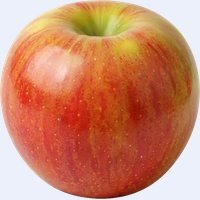 AppleAppleFrom the start4.5kg
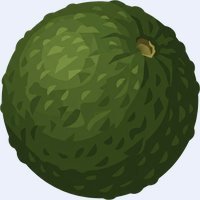 AvocadoAvocadoFrom the start4kg
 Baby koalaBaby KoalaFrom the start2kg
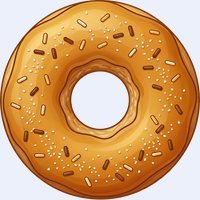 DonutDonutFrom the start2kg
 OnionOnionFrom the start3kg
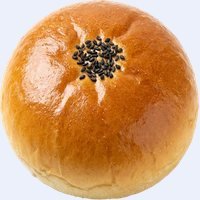 Red bean bunRed Bean BunFrom the start3kg
 BaseballBaseballLevel 33.5kg
 Golf ballGolf BallLevel 51.5kg
 Baby crocodileBaby CrocodileLevel 73.4kg
 TomatoTomatoLevel 84kg
 Teddy bearBear DollLevel 103kg
 Baby owlBaby OwlLevel 134.5kg
 OrangeOrangeLevel 134.5kg
 PeachPeachLevel 153.5kg
 Baby kangarooBaby KangarooLevel 185.2kg
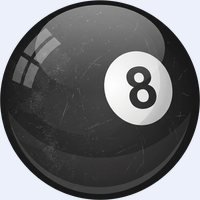 Billiard ballBilliard BallLevel 185kg
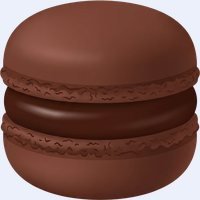 MacaronMacaronLevel 203kg
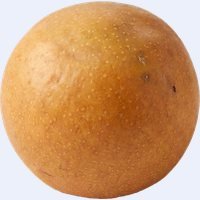 PearPearLevel 234kg
 Baby monkeyBaby MonkeyLevel 246.7kg
 MelonMelonLevel 2513kg
 KittenBaby CatLevel 307.2kg
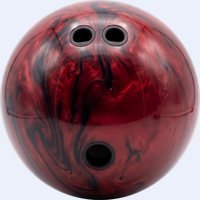 Bowling ballBowling BallLevel 3019kg
 Tennis ballTennis BallLevel 332.5kg
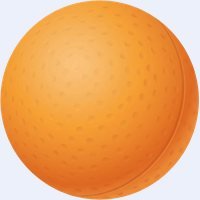 Ping-pong ballTable TennisLevel 350.5kg
 Baby eagleBaby EagleLevel 368.4kg
 Soccer ballSoccer BallLevel 387.5kg
 BasketballBasketballLevel 409kg
 Baby gorillaBaby GorillaLevel 428.9kg
 VolleyballVolleyballLevel 435.5kg
 WatermelonWatermelonLevel 4518kg
 Bear cubBaby BearLevel 4812.7kg
 PenguinPenguinLevel 5012kg
 Lion cubBaby LionLevel 5313kg
 BitcoinBitcoinLevel 553kg
 FawnBaby DeerLevel 5913.9kg
 HamburgerHamburgerLevel 603kg
 Baby camelBaby CamelLevel 6517.6kg
 GlobeGlobeLevel 653kg
 PizzaPizzaLevel 703kg
 FoalBaby HorseLevel 7118.7kg
 MugMugLevel 753kg
 CalfBaby CowLevel 7718.7kg
 CabbageCabbageLevel 803kg
 Baby giraffeBaby GiraffeLevel 8319kg
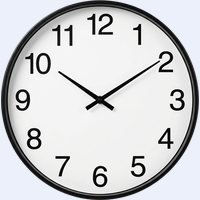 Wall clockClockLevel 853kg
 Baby hippoBaby HippoLevel 8819kg
 DVDDVDLevel 903kg
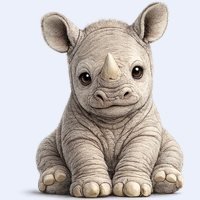 Baby rhinoBaby RhinoLevel 9419.4kg
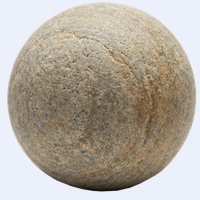 PebbleStoneLevel 953kg
 Baby elephantBaby ElephantLevel 10020kg
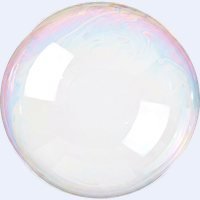 BubbleBubbleLevel 1003kg
※ The game never shows object names. The English names are our own labels based on the artwork.
- Weights range from 0.5kg (ping-pong ball) to 20kg (baby elephant) in the data. But as we saw in chapter 4, the basic Fan was the only one where weight changed the floating height. The difference you’ll actually notice is size.
- Sizes run from 0.5× (ping-pong ball) to 1.3× (watermelon). Bigger objects are easier to track by eye, but the distance to the fan’s center is always measured from the middle of the object.
- Some objects spin lopsidedly. An off-center center of mass is attached at random, and it gets more common at higher tiers. That’s why the same object can seem to spin differently from round to round.
- The next-object preview is shown from level 1, and is occasionally hidden behind a question mark.
Score and center combos
Points come from two sources. One is time survived (base score); the other is time spent dead center over the fan (center combos). The combo side is several times bigger.
Base score — 10 points a second, plus a bonus for staying central
Every moment you earn 10 × seconds survived, plus a center bonus that grows the closer the object is to the fan’s center. The center bonus starts at 30 at a distance of 0, falls to 0 at 2.0 units, and is multiplied by 1.5 within 0.3 units of the fan. So with the object right over the middle of the fan you bank 55 points a second; 1 unit away it’s 25, and 2 units or more away it’s 10.
Center combo — +100 × multiplier every 0.8 seconds

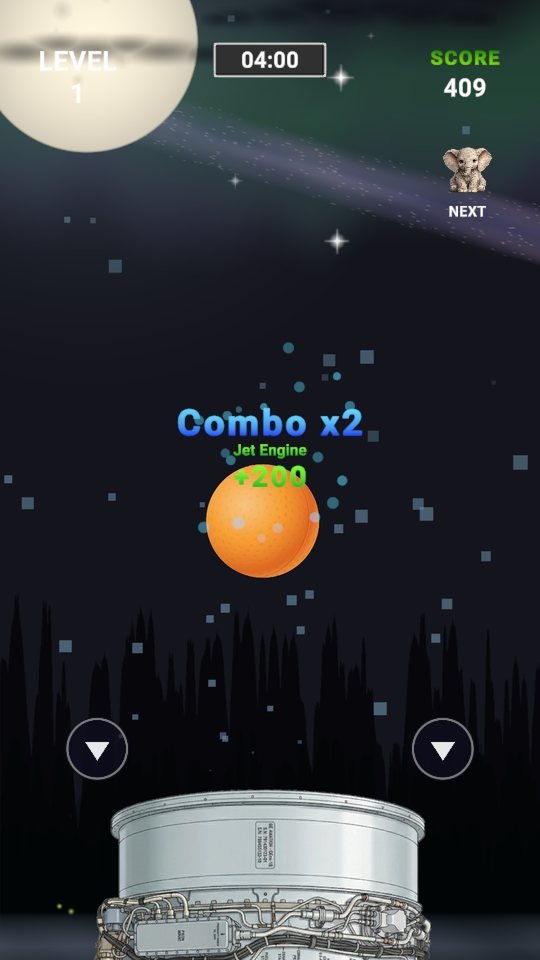
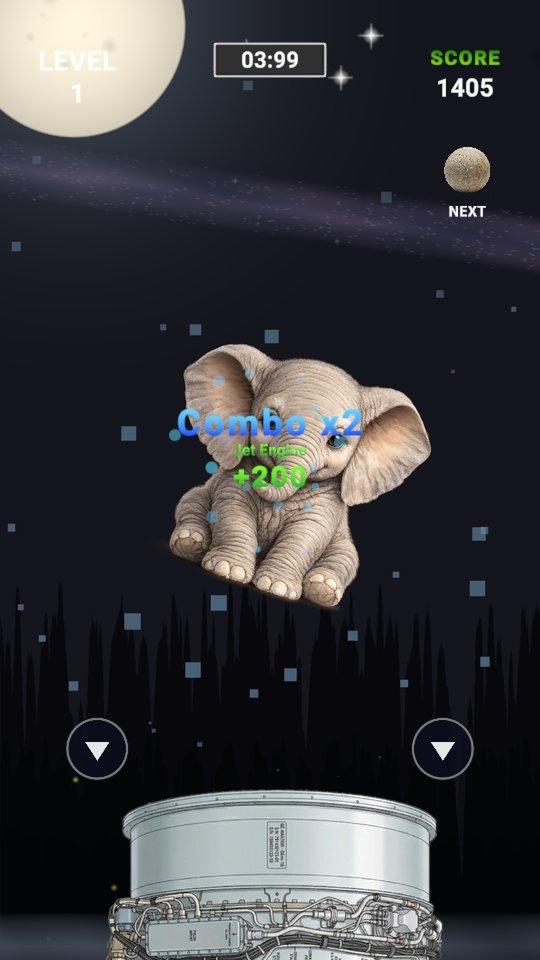
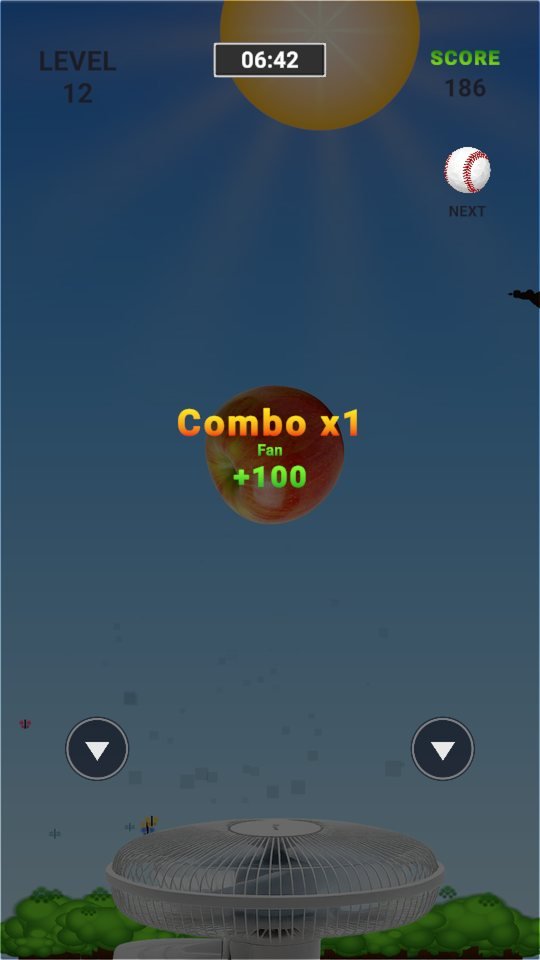
Each time the object stays within 20% of the fan’s center (20% of the wind half-width) for 0.8 seconds in a row, the combo multiplier goes up by 1 and you instantly get multiplier × 100 points. A popup appears in the middle of the screen.
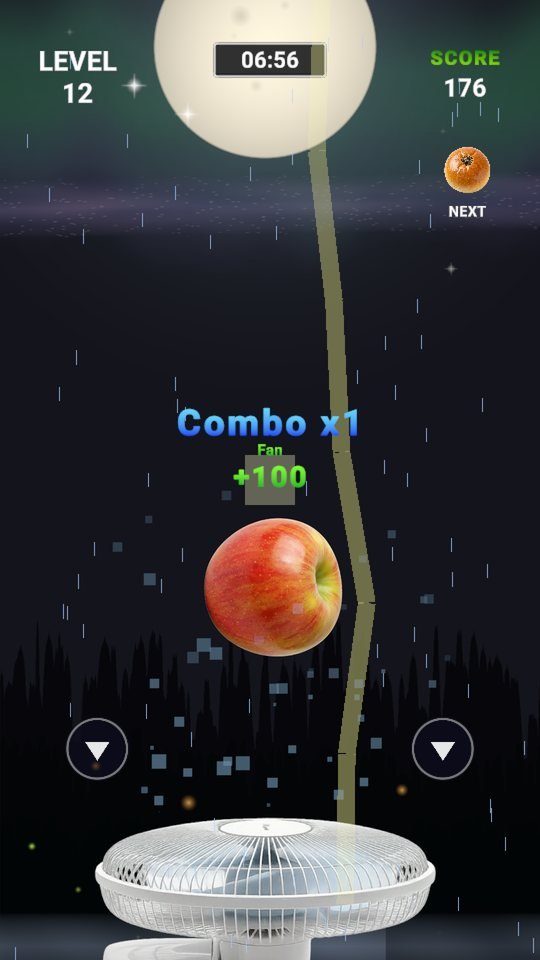
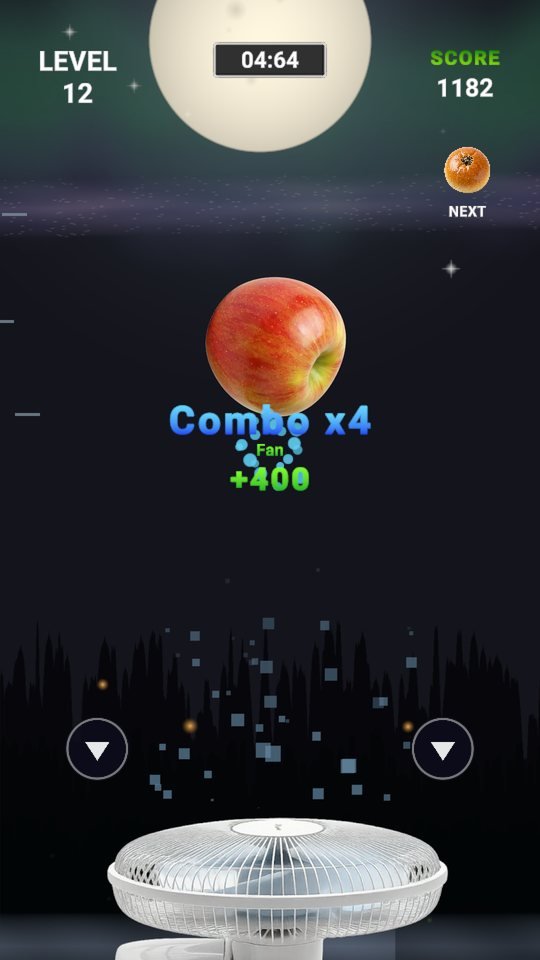
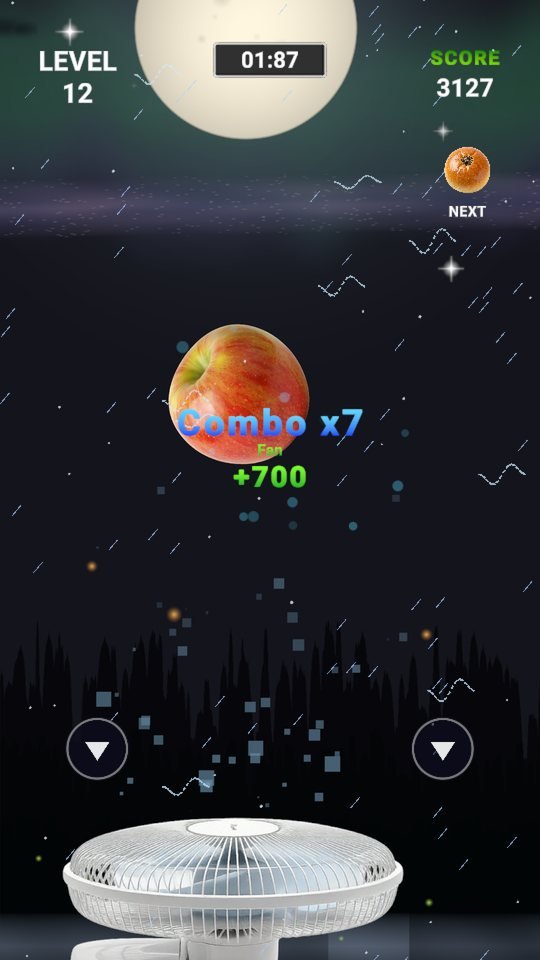
- Combo x2 — big lettering (sky blue into blue on the dark theme, yellow into red on the light theme)
- Below it, the wind machine’s name (green) and the instant points, such as +200
The popup stays for 2 seconds and fades, with a burst of eighteen dots.
- Leave the center once and you start again from 0. Both the multiplier and the 0.8-second timer reset.
- The total for n combos is 50 × n × (n+1). That’s 600 at the 3rd combo and 2,800 at the 7th.
- Holding the center for the entire round gave combo totals of 2,800 for a 6-second round, 4,500 for 8 seconds, 7,800 for 10 seconds and 10,500 for 12 seconds (measured with the rig), and round totals including the base score of 3,123 · 4,933 · 8,316 · 11,155. On paper you’d reach combos 7 · 10 · 12 · 15 (2,800 · 5,500 · 7,800 · 12,000), but for that the last combo would have to fire at the very last instant of the round clock — the round ends first, so in practice you fall a little short. Base score tops out at 55 points a second, which is only 330 points even in a 6-second round, so combos are where the big points are.
- Narrow fans make it harder. The basic Fan has a center zone of ±0.28, the Blower only ±0.18.
What happens to your score on clear and retry
- Combo points land the instant you earn them. When you clear, the base score is locked in and your running total is saved.
- If you drop the object and tap retry, your score goes back to what it was when that round started. Even if you racked up a big combo before falling, only clearing keeps the points.
- Your best level and best score are saved separately and are not erased when you start a new game.
Levels and difficulty
Difficulty follows a smooth curve tied to the level. Gravity is set to 0.85 + 1.40 × D (± 0.15), where D grows slowly as the level rises (0.10 at level 1, 0.35 at level 10, 0.67 at level 100 and 1.0 at level 1000). Here’s what changes from level to level.
| Level | Target time | Fan strength bonus | Wind speed | Special mode | Weather | Intruder object |
|---|---|---|---|---|---|---|
| 1 – 10 | 6 s | +0 to +1 | ×0.55 – 0.59 | None | None | None |
| 11 – 15 | 8 s | +1 | ×0.60 – 0.61 | 20% | 60% · one type · strength 1–2 | None |
| 16 – 20 | 8 s | +1 to +2 | ×0.62 – 0.64 | 20% | 75% · one type · strength 1–5 | None |
| 21 – 25 | 10 s | +2 | ×0.64 – 0.66 | 20% | 90% · one type · strength 1–10 | None |
| 26 – 30 | 10 s | +2 to +3 | ×0.66 – 0.68 | 20% | 100% · several types mixed · strength 5–10 | None |
| 31 – 49 | 12 s | +3 to +4 | ×0.69 – 0.77 | 20% | 100% · mixed | None |
| 50 | 12 s | +5 | ×0.77 | 20% | 100% · mixed | 30% (after 4 s) |
| 51 – 100 | 12 s | +5 to +10 | ×0.78 – 1.00 | 30% | 100% · mixed | 30% |
| 101 – 200 | 12 s | +10 to +20 | ×1.00 – 1.45 | 40% | 100% · mixed | 30% |
| 201 + | 12 s (8–16 s) | +20 | ×1.45 | 70% | 100% · mixed | 30% |
※ Fan strength bonus — N rises by 1 every 10 levels, capping at +20 at level 200. Wind speed is the drift and turbulence multiplier, with level 1 set to 0.55. From level 201 a system that fine-tunes difficulty slightly differently for each player switches on, so the target time can vary between 8 and 16 seconds.
- The target time steps up four times — going from 10 to 11, 20 to 21 and 30 to 31, each round gets 2 seconds longer.
- Difficulty grades: levels 1–5 very easy, 6–15 easy, 16–20 normal, 21–25 hard, and extreme from 26 on. A grade only changes the ranges for friction, bounce, mass, air drag and rotational damping, plus the shape of the center of mass.
- Keep failing in one session and special modes back off. After you launch the app, from the 2nd game over the special-mode chance is halved, and after 3 game overs special modes stop appearing altogether and the difficulty grade is locked to “very easy”. The code describes it as a safety net that a clear should release, but in practice it only resets when you close and reopen the app. Weather and intruder objects are not affected. Retries are not counted.
What to expect in each level range
| Range | What the rounds are like | What to do |
|---|---|---|
| 1 – 10 | 6 seconds, no weather or special modes, the first 6 objects | Learn the controls. Practice staying in the middle and aim for Combo x2–x3. You’ll also get your first bonus round here (every 5 levels). |
| 11 – 25 | 8–10 seconds, weather begins (60→90%), special modes 20% | Snow slows the fan, so move early; for wind, watch the edge bars and be on the opposite side in advance. For special modes, watch the first second. |
| 26 – 49 | 10–12 seconds, weather 100% and mixed (strength 5–10) | Rain, snow and wind arrive together. Rounds are longer, so concentration in the middle stretch matters. From here, Blue Sky is worth saving. |
| 50 – 100 | Intruder objects 30% (after 4 s), special modes 30%, wind speed up to ×1.0 | Get used to sliding the fan out of the way of a second object dropping from above. When you see one, take the fan a step or two to the opposite side. |
| 101 – 200 | Special modes 40%, wind up to ×1.45, fan strength up to +20 | Objects shake faster, so the rhythm of short, chopped taps has to become second nature. |
| 201 + | Special modes 70%, target time fine-tuned between 8 and 16 s | Almost every round has a special mode. Whatever it is, holding on near the middle is the fundamental skill. |
Hazards ① Weather — rain, snow and wind
From level 11, any round can come with weather. The chance and strength follow the table above (from level 26 it’s 100%, and the three types are rolled independently: wind 75% · rain 65% · snow 50%, with at least one guaranteed). There is no message or banner telling you weather has arrived. The rain, snow and wind lines you see on screen are the only notice.


| Weather | When it starts | What it does to the physics | On screen |
|---|---|---|---|
| Rain | Between 0 and 1 second into the round | Adds +0.1 to +0.5 to gravity (strength 1→10). But the fan’s lifting force also scales with gravity, so when we measured it, neither the floating height nor the time to fall after losing control changed. | Rain streaks falling straight down, or slanted if there’s wind |
| Snow | Between 0 and 1 second into the round | Cuts the fan’s movement speed by 5% to 40% (strength 1→10). | Snowflakes drifting down, with the occasional big snow crystal passing by |
| Wind | Target time − 2 s (at 4 s in a 6-second round, 6 s in 8, 8 s in 10, 10 s in 12) | A force pushes the object to one side. The configured cap is 40% of gravity, but the actual force is strength × 0.45 (max 4.5), which only reaches about 6.7% of gravity at most. | Warning bars 0.8 s before it starts, then sky-blue lines streaming in the wind’s direction |
Wind comes with a warning
Rain and snow arrive right away, but wind blows near the end of the round (target time − 2 s), and 0.8 seconds before it starts, three short bars flicker at the edge of the screen. They appear at the edge the wind is coming from, drift slowly in the wind’s direction and fade (if the wind blows to the right, the bars appear on the left edge). In other words, it’s one big shove just before the round ends. When you see the bars, set the fan a little toward the side opposite to where the wind is heading. If you wait until the wind starts and then follow it, you’re already too late.

When rain, snow and wind combine
From level 26, rounds where all three hit at once are common. The object sinks, the fan is sluggish and the wind pushes sideways. The basic answer is short, chopped taps near the middle. When the wind is strong the object settles toward one edge of the fan, so focus on constantly closing the gap between the object and the fan’s center.
There’s also a lightning effect. When it rains it flashes now and then (chance 30), but it’s purely decorative and has no effect on the physics.
Two backgrounds: night and day
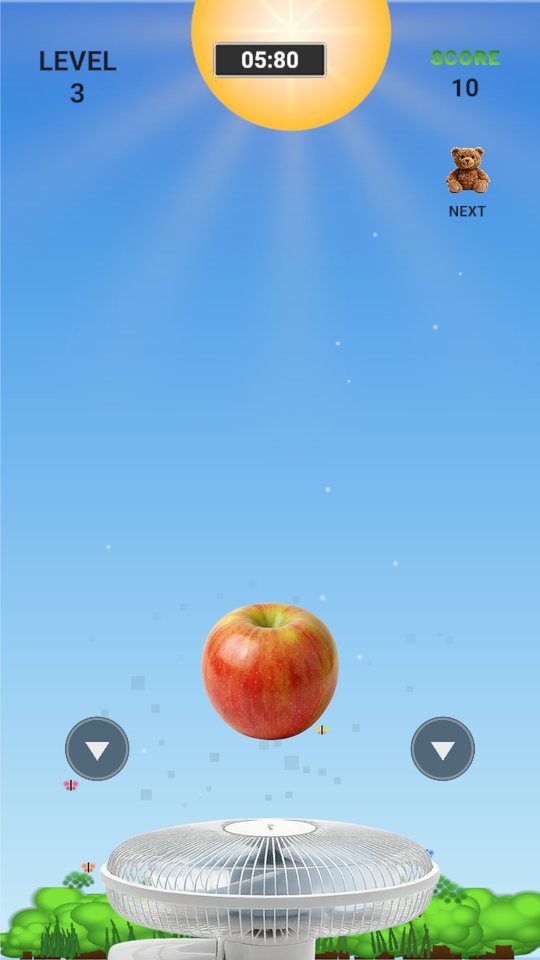
The background follows the Dark Mode toggle in the settings. Dark (the default) is a night sky with stars, a moon, clouds and silhouetted forest; light is daytime with sky, sun and clouds. Each round adds a few random scenery pieces such as mountains, aurora, bats, hot-air balloons or rainbows — pure decoration with no effect on score or judging.
Hazards ② Thirty-one special modes
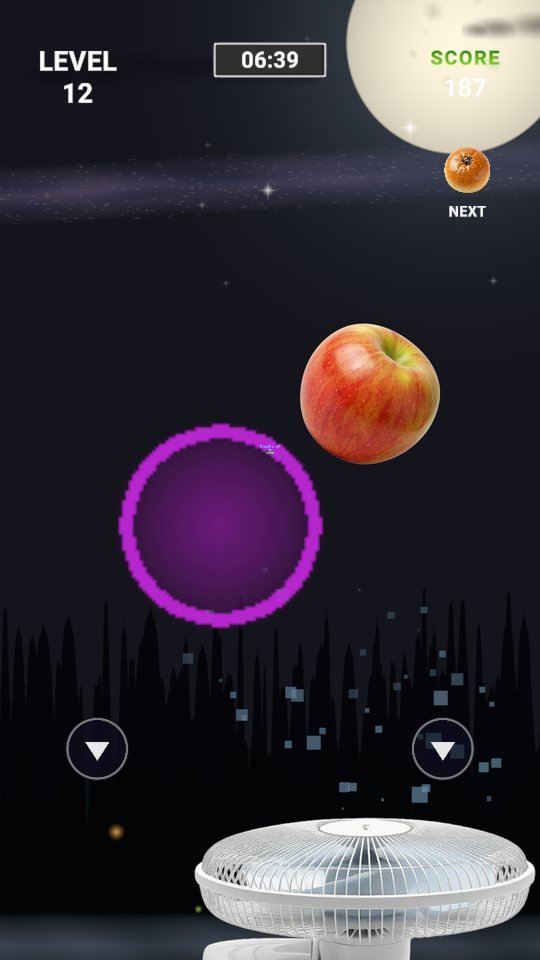
From level 11, when a round starts there’s a chance (20% → 30% → 40% → 70%) of one special mode kicking in. If it does, one of the thirty-one is picked completely at random with equal odds. There’s at most one per round, and no text ever announces it. If the screen goes dark, shakes or zooms in, a special mode is on. Everything goes back to normal when the round ends.

| Mode (our name) | What happens | How long |
|---|---|---|
| Reversed controls InvertControl | Pressing the left half moves you right, and the right half moves you left. Nothing on screen tells you. | Until the round ends |
| Gravity tilt GravityShift | Gravity bends sideways (left or right at random, horizontal 9.81 · vertical −2.5). | To the end |
| Screen shake ScreenShake | The camera shakes by ±0.15. | To the end |
| Narrow vision NarrowVision | A black overlay at alpha 0.65 (0.4 s fade-in). | To the end |
| Darkness DarkMode | Black overlay at alpha 0.85 (0.5 s). | To the end |
| Slow motion SlowMotion | Time slows to 0.5×. | 3.5 s real time |
| Speed burst SpeedBurst | Time speeds up to 1.65×. | 2.5 s real time |
| Camera zoom CameraZoom | The camera size shrinks to 0.62× (over 0.8 s), zooming in. | To the end |
| Camera wobble CameraWobble | The camera tilts ±2.8° and wobbles at 1.3Hz. | To the end |
| Flash blind FlashBlind | A white flash (alpha 0.93) that fades over 0.85 s. | Once |
| Earthquake EarthQuake | The camera shakes hard by ±0.38, easing to 15% over 4 s. | 4 s |
| Mirror flip MirrorFlip | The code is written to flip the camera left to right. But when we actually ran it, nothing on screen flipped (and the input stayed the same). | To the end |
| Ghost object GhostBall | The object turns see-through (alpha 0.22). | To the end |
| Gravity pulse GravityPulse | Gravity swings between −9.81 and −19 at 1.5Hz. | To the end |
| Fog FogVignette | Black overlay at alpha 0.33 (0.7 s). | To the end |
| Spin shock Tumble | The object gets a one-off spin of +350–650°/s. | Once |
| Gust WindGust | A push of 6–14 to the left or right at random. | 1.3 s |
| Reverse gravity GravityReverse | Gravity flips upward (+7.5). | 1.8 s |
| Camouflage Camouflage | The object’s color blends 72% toward the background color. | To the end |
| Decoy double GhostDuplicate | A see-through fake object floats ±1.1 to the side. It has nothing to do with judging. | 3 s |
| Input lag InputLag | Your input is applied 18 frames (about 0.3 s) late. | 5 s |
| Whirlwind WindVortex | A rotating force (5–9) turning at 260° a second pushes the object. | 1.6 s |
| Magnetic repulsion zone MagneticRepulsion | A purple circular zone (radius 1.1) pushes the object away (up to 14). | 6 s |
| Lightning flashes LightningFlash | White flashes and thunder every 2.5–5 s. | To the end |
| Magnetic pull zone MagneticPull | A circular zone (radius 1.3) pulls the object in (up to 20 at the rim). | 6 s |
| Light swarm DistractionSwarm | 16 small specks of light float around. A purely visual effect. | 2.8 s |
※ The game never shows mode names. The names here are ours; the small text is the name in the code. The remaining five of the thirty-one (DisappearPlatform · GhostPlatform · PlatformKick · PlatformSway · DecoyPlatform) target platforms, which FanMaster doesn’t have, so nothing happens even when they trigger. Mirror flip showed no visible change either, so in about one in five special-mode rounds (6 of 31) you won’t even notice a mode was active.
How to handle them
- Reversed controls and input lag show nothing on screen. If the fan goes the wrong way or reacts a beat late, it’s a special mode. For reversed controls, watch the object and press the opposite side; for lag, move well in advance rather than in tiny taps.
- Don’t worry about mirror flip. The code is written to flip the screen, but when we ran it, both the picture and the input stayed the same. Trust the usual rule — press the left half and the fan moves to the left of the screen.
- Modes that only hide the screen (darkness, fog, narrow vision, zoom): even if you can’t see the object, trust the position of the fan graphic and hold on near the middle with short taps.
- Flashes, earthquakes and screen shake are distracting but have almost nothing to do with the physics. Don’t panic — keep doing what you were doing.
- Magnetic zones and the whirlwind push or pull the object directly. Move the fan to the side away from the zone.
Hazards ③ Intruder objects and the danger warning
From level 50 — a second object from the sky
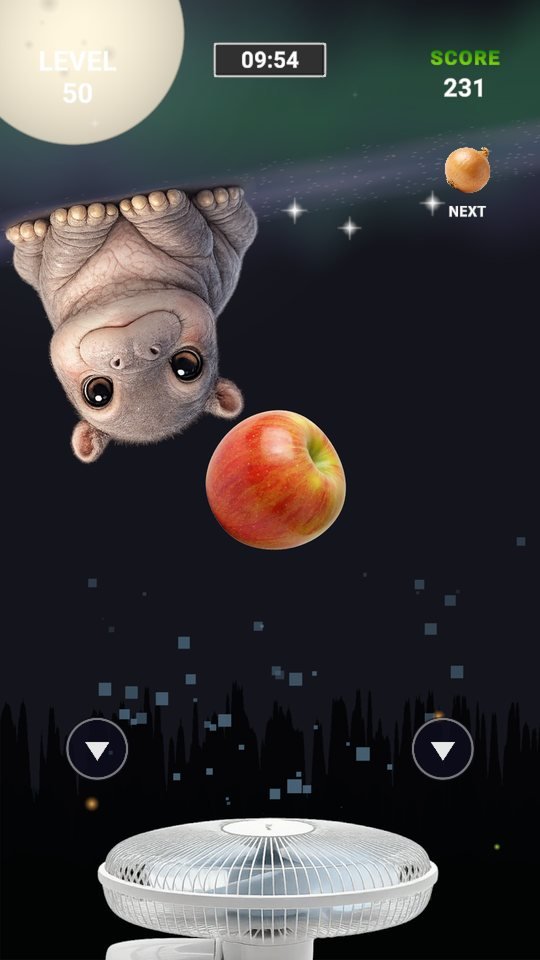
From level 50 there’s a 30% chance that, 4 seconds into the round, another object drops from above. It’s picked from all 51, unlocked or not — anything except the main object.
- The intruder also floats by the same wind rules and collides with the main object. A collision changes the main object’s direction.
- If the intruder falls, it’s not game over. Once it leaves the wind it quietly disappears.
- The intruder is also ignored by the danger warning (red border).
When you see something coming down, step the fan aside so it doesn’t touch the main object.
When the edges turn red — the danger warning
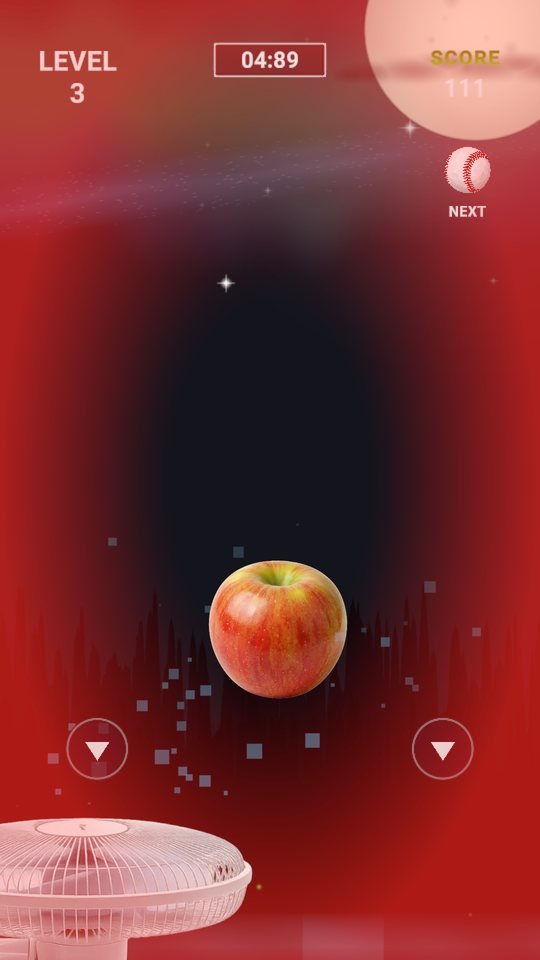
When the object moves out to 82% or more of the fan’s wind half-width, a red border flashes around the screen (2.4 times a second, max alpha 0.55). It switches off once the object is back at 60% or less. Because the on and off thresholds are different, it doesn’t flicker on and off right at the boundary.
The color is bright red on the dark theme and deep red on the light theme. When you see the border, get the fan under the object right away. It’s forced off on clear, game over and at the start of a bonus round.
A hard collision can also give the camera a brief shake (up to 0.32).
The six items
You can put only one item in the single equipment slot, and it’s used up after one round. You equip it from the ITEM tab in the bottom menu bar. If one is already equipped you get the Only one item can be equipped in the slot. popup. And the slot is emptied every time the app starts, so you need to equip again each session.

From top to bottom the item window shows the ITEM title → Game Item Slot ×1 → Game Items (six icons) → Record Items (two). Tap an icon to get a description popup, then tap YES to equip it.
Three ways to get items
- Watch an ad to equip — tap YES, a rewarded ad plays, and the item is equipped when it ends. The confirm popup carries the line (Tapping YES will show an ad before equipping the item).
- Item pass — watch one ad and you can keep equipping items with no ads for 5 minutes. The top of the item window shows All Items Unlimited – 5 Min and the time left.
- Daily free gift — on your first visit of the day, one of the six is put into your slot for free (not on the day you install).
| Item | In-game description (short) | What it actually does |
|---|---|---|
| Revive REVIVE | Uses wind to return a fallen object and fan to their starting positions 1 time. | Triggers automatically right after a drop (within 0.8 s), pulling the object back to the center, 1.0 above the top of the fan. The fan returns to the center too, and input is locked briefly. The slot shows it as Revive (×1). |
| Blue Sky BLUESKY | Blocks all weather effects and shows a clear blue sky background for the entire round. | Blocks weather and switches to a blue sky with clouds. It blocks special modes too (the description only mentions weather). |
| AREA AREA | Displays the wind zone boundary for each fan in real-time throughout the entire round, helping you keep the object within range. | The width the wind reaches is shown as a band (left and right boundary lines plus a floor line). Blue on dark, red on light. |
| SLOW SLOW | Dulls all movements of the object (up/down, left/right, rotation) for one round. Fan speed remains unchanged. | Horizontal speed and rotation drop to 0.2–0.5× of normal (random). Vertical speed is unchanged. The screen takes on a blue tint, a blue ring appears around the object and a turtle icon floats above the fan. Fan speed stays the same. |
| Freeze FREEZE | Freezes the object inside an ice block 3 seconds before the round ends. The object is locked in place — 3 seconds later, you win automatically! | At target time − 3 s (the 3 · 5 · 7 · 9 second mark) it locks the object’s position and disables the fall check. You only have to survive the part before that. If you drop it before the freeze, the item stays for the next round. |
| No Spin NOSPIN | Completely removes object rotation for the entire round. The object still moves up, down, left and right as normal — it just never spins. | Locks the rotation. A gold diamond pin and a horizontal line appear over the object. |

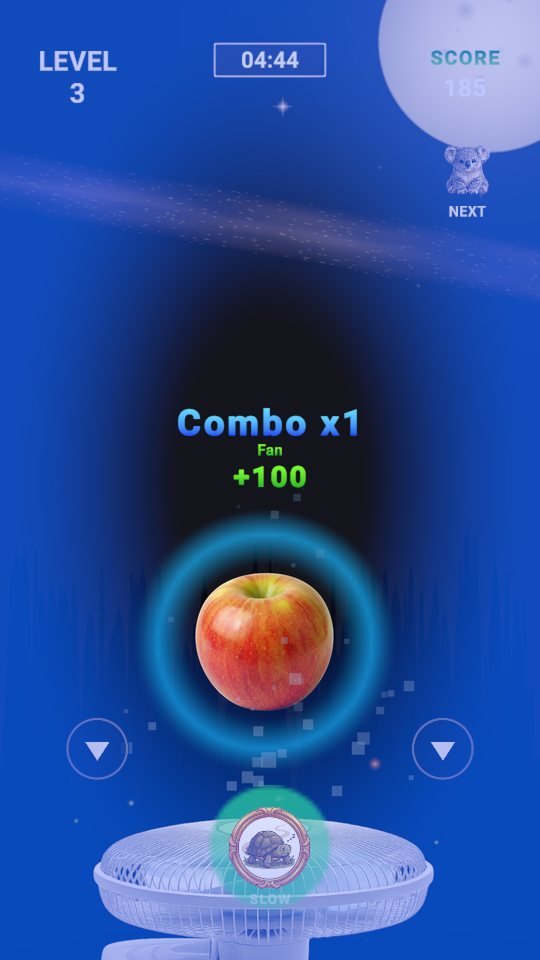
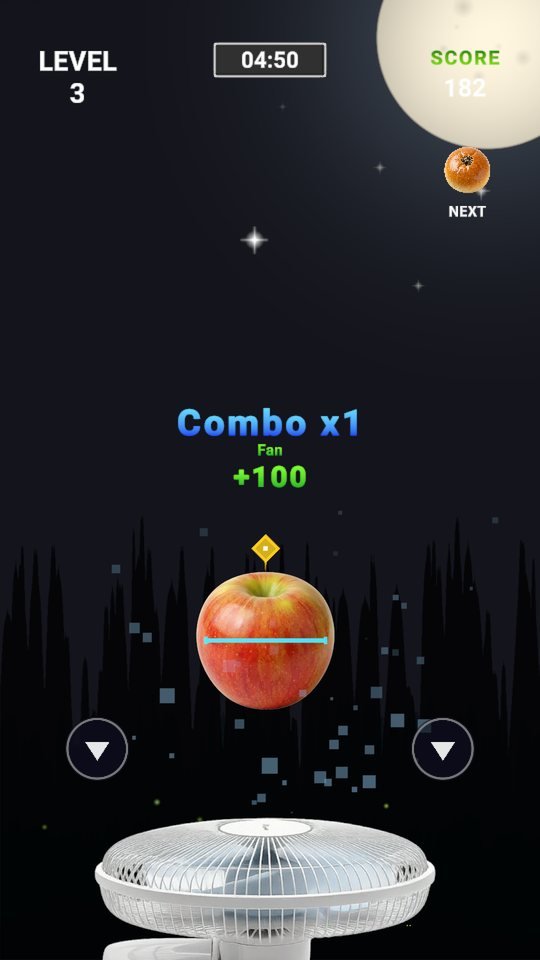
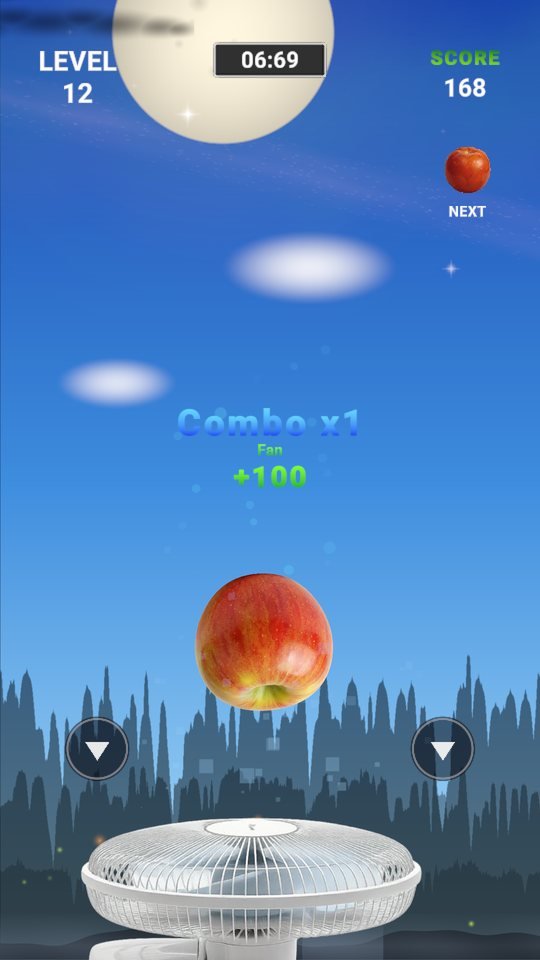
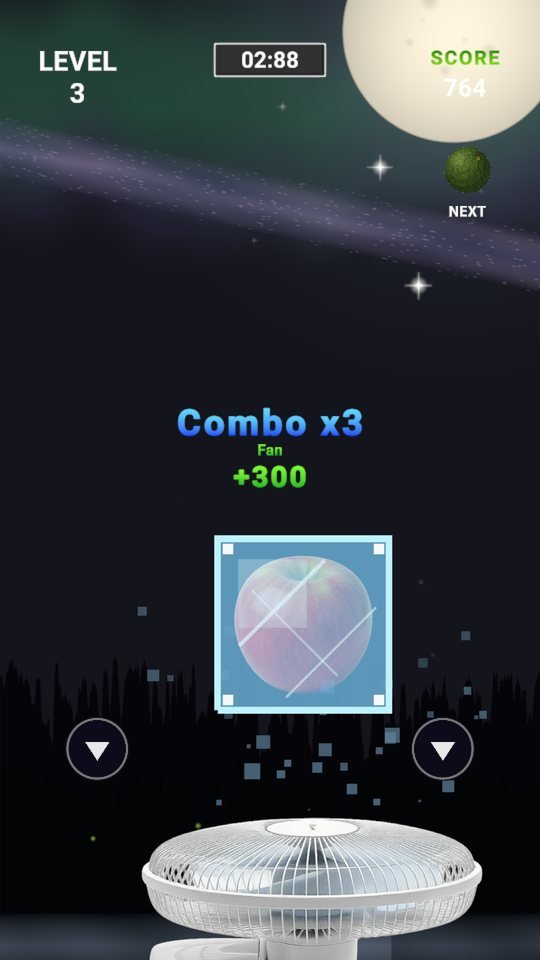

Once a round starts, the equipped item is shown as an icon above the fan (for Revive, ×1 is added under the icon).
Which item for which round
| Situation | Item to pick | Why |
|---|---|---|
| Past level 25, with rain, snow and wind taking turns | Blue Sky | Blocks weather and special modes in one go. The most broadly useful defense. |
| When narrow fans (Blower, Hair Dryer) keep coming up | AREA | The wind width is drawn as a band, so you can see how far the object can safely go. |
| When the object shakes and spins too fast to follow | SLOW | Horizontal speed and rotation drop to 0.2–0.5× of normal, making it much easier to read. Fan speed is unchanged. |
| When constant spinning makes the position hard to judge | No Spin | The rotation stops, so the object’s shape stays steady. |
| In a 12-second round where you only need to survive the first part | Freeze | The object is locked in ice 3 seconds before the target time. Surviving the first 9 seconds is the whole fight. |
| When you want a cushion for one slip | Revive | Right after a drop it returns the object to the center, erasing one mistake. |
The two record items
The two Record Items under the list let you watch a rewarded ad and return to the home screen with a different continue point.
- You will restart from Level 1. Would you like to use this item? — resets your saved progress (level and score) to 0. Your best records are not erased.
- Resume from your best level, Level {0}. Would you like to use this item? — {0} is your highest level + 1, and you carry on from there.
The bonus coin round
Clear a level that’s a multiple of 5 (5, 10, 15 …) and tap NEXT, and a bonus round slips in. The order is NEXT → (an interstitial ad, if the ad conditions are met) → bonus round → START on the end screen → the next level.
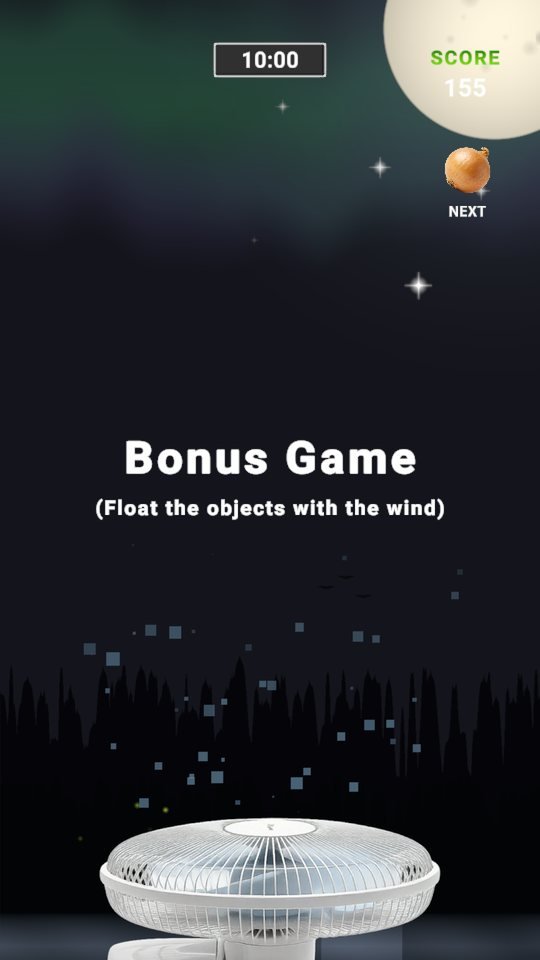
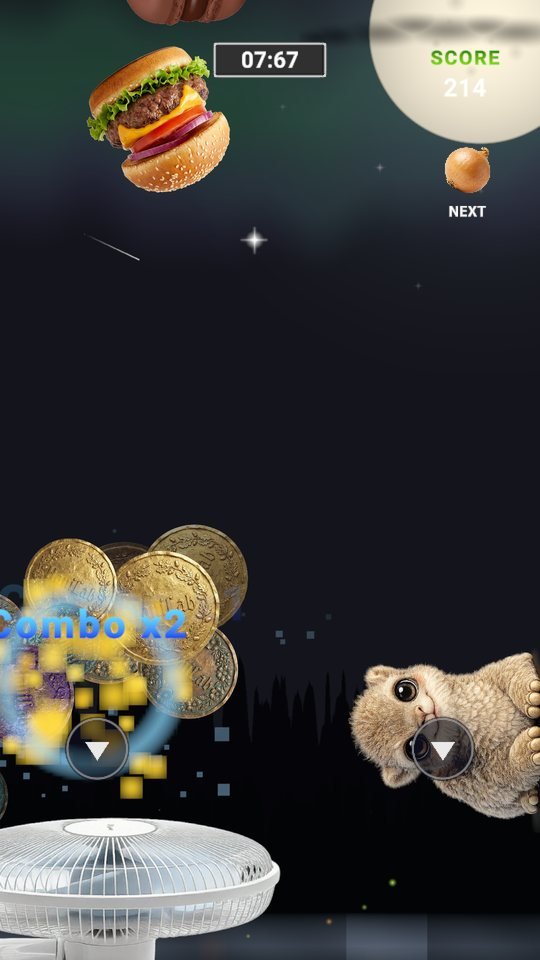

- Intro — (Float the objects with the wind) appears under Bonus Game for 1.3 seconds, and the round begins after 3 · 2 · 1.
- For 10 seconds you get one fan (random) while objects rain down from above, one every 0.28–0.5 seconds, up to 18 falling at once. The objects come from all 51, unlocked or not, are all scaled to 0.6, and don’t collide with each other.
- How to catch — an object counts as “caught” when it comes down inside the fan’s wind half-width and into the band 0.15–3.2 units above the top of the fan. The instant it’s caught it pops and 3–10 coins burst out. A Combo x N popup appears on the spot, but here it just counts how many you’ve caught.
- End — Bonus Game Over and Coins x{N} appear, and tapping START takes you to the next level. With 0 coins you hear the game over sound; otherwise a random victory sound plays.
- Dropping things has no consequence. There’s no game over in the bonus round.
Bonus coins are just a number shown on the end screen. They aren’t saved, aren’t added to your score and aren’t a currency for anything. It’s a breather round to enjoy the catching and the effects — so just relax and have fun.
Unlocks, ranks and today’s missions
The ACHIEVE tab — your rank and unlocks


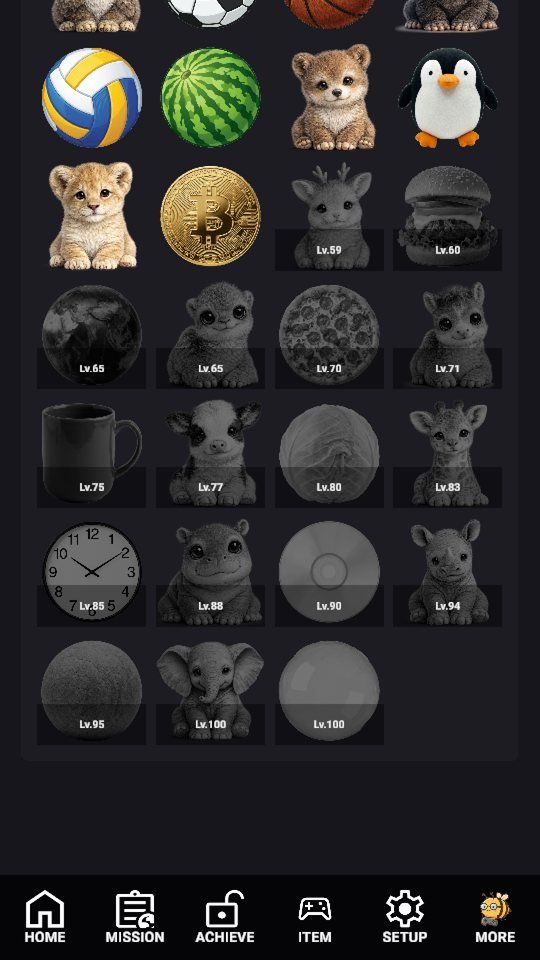
- MY RANK — on the left, your current rank medal and step (a gold number like +5); in the middle, >> and the steps left to the next rank (+94 to go); on the right, the next rank’s medal. Underneath is the hint +1 step = every 10 levels, which turns into MAX at the final rank.
- There are fifteen ranks — Rookie · Amateur · Contender · Capable · Skilled · Expert · Veteran · Elite · Master · Grandmaster · Champion · Legend · Hero · Myth · Eternal.
- Your rank goes up every 1000 levels, with a +1 step every 10 levels. Rank number = highest level ÷ 1000 + 1, and step = (highest level % 1000) ÷ 10. When a new rank opens, a TITLE UNLOCKED popup shows for 5 seconds.
- UNLOCK lists all fifty-one objects in unlock order; the ones you haven’t opened yet carry a lock mark and Lv.N.
Today’s missions — nine medals

The mission window shows nine medals in three columns. There’s no description text — just English lettering on each medal. They’re black and white until you complete them, then turn to color. Everything resets when the day changes.
Days on which you fill all 9 are added to the HISTORY calendar at the bottom of the window.
| # | Medal text | Condition (per the code) |
|---|---|---|
| 1 | LEVEL 1 CLEAR | Clear your first level of the day |
| 2 | 5 STAGES CLEAR | Play 5 rounds today — failed rounds count too |
| 3 | COMBO x1 OKAY | Build a center combo of 1 or more and clear that round |
| 4 | COMBO x5 OKAY | Build a center combo of 5 or more (4 seconds straight in the center) and clear that round |
| 5 | 10 STAGES CLEAR | Play 10 rounds today — failures included |
| 6 | 3 CLEAR STREAK | Clear 3 in a row (a game over resets it) |
| 7 | 10 LEVELS UP | Meant to be “10 levels above where you started today”, but in practice it completes as soon as you clear any level of 10 or higher that day. |
| 8 | 5 CLEAR STREAK | Clear 5 in a row |
| 9 | WEATHER WIN x3 | Clear 3 rounds that had weather |
The first-visit-of-the-day gift
The first time you open the game after midnight, a Welcome back! {item} has been added for free. popup appears and one of the six items, chosen at random, is put in your slot. The buttons are Check Item · Later. If your slot is already full the equip is skipped, and the popup doesn’t appear on the day you first install the game.
Clear, game over, continue and settings
Clear
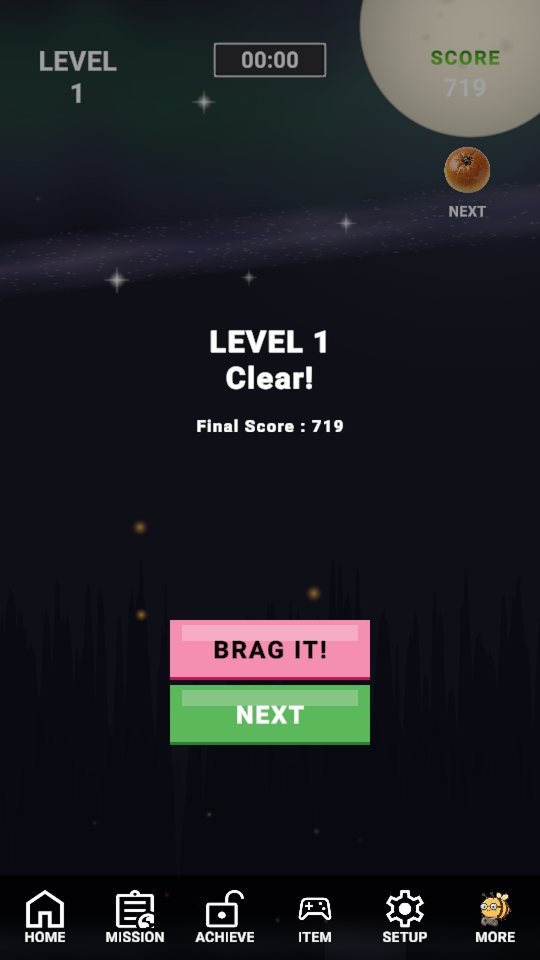
Last out the target time and fireworks go off as the LEVEL N Clear! screen appears. Below it are Final Score : X and two buttons.
- BRAG IT! — share your score. The share text calls the game “FAN MASTER”.
- NEXT — on to the next level. On levels that are multiples of 5, the bonus round comes first.
When the ranking table has been fetched from the server, the clear screen adds lines like You’re in the top N% and ○○ pts to reach top M%, and a TOP N% badge shows in the top left during play. If the table couldn’t be fetched, none of this appears.
Interstitial ads can only show when you tap NEXT after a clear. They start from level 10, once your total wins hit the threshold (every 8 wins at levels 10–29, 7 at 30–39, 6 at 40–99, and 5 at 100 and up). There are no interstitials after a drop. Win 5 in a row at level 10 or higher and a rating popup can appear (at most twice), skipping that round’s interstitial.
Game over
When the object drops below the fan outside the wind and 0.8 seconds pass, you get a big GAME OVER and a single RETRY button. No score is shown.
- You replay the same level. The fan type and the object are drawn again.
- Your score goes back to what it was when you started that level.
- Those 0.8 seconds after the drop are the only window in which the Revive item can step in.
Continue
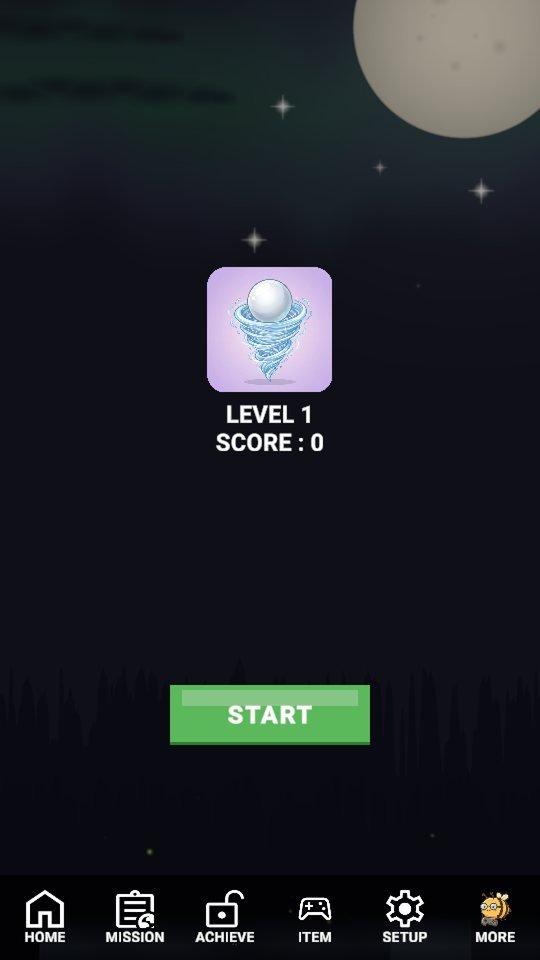
When you reopen the app, the first screen is the continue screen. It shows the level after the last one you cleared and your saved score at that point; tap START to carry on from that level. Right after a fresh install it shows LEVEL 1 · SCORE : 0.
If you pause mid-round with the HOME tab, the buttons change to RETRY (continue after a rewarded ad) and BACK.
Settings window
- Nickname — created automatically on first launch (color + animal + number, e.g. RedWolf9789). You get a Random button, manual entry and an avatar picker.
- Game — Language (ten: English · 한국어 · 中文 · 日本語 · Deutsch · Français · Русский · Español · Português · Türkçe), toggles for Vibration · Sound · Dark Mode · Push Notifications, and Tutorial (a web manual).
- Community and policy — Homepage · Rate Us · Contact Us · Share Game, Privacy Policy · Terms of Service · Data & Privacy.
- At the very bottom are Version 1.0.6 and the Quit Game button.
The language follows your device automatically, and with push notifications on you can get word of a free item once a day.

Frequently asked questions
After about 0.8 seconds without input (0.5 seconds at higher levels) the fan slowly drifts off to one side on its own, and from 1 second on the object gets a sideways push. The code deliberately stops you from just standing still. Keep tapping, even very briefly.
No. Pressing both halves at once cancels the inputs out to zero. Alternating left and right with one finger is the way to go.
Nothing. They’re just a number on the end screen — not saved and not added to your score. The bonus round is a breather for the fun of catching.
The game was built not to announce them. The first second in which the screen changes is your signal. And 6 of the 31 do nothing noticeable even when they trigger.
If you tap RETRY after a failed round, your score goes back to what it was when that level started. Points from combos vanish too unless you clear.
Items are used up after one round, and the equipment slot is emptied every time the app starts. Only Freeze survives to the next round, if you drop the object before it actually freezes.
The continue screen shows the level after the last one you cleared. If you cleared level 10, you continue from LEVEL 11.
Unlocks are based on the highest level you’ve reached. Even without clearing, finishing a round at that level is enough to record it. Starting a new game doesn’t lock objects you’ve already opened.
Six things for your first run
- Send the fan under the object. If the object drifts right, press the right half; if it drifts left, the left half — and let go once the fan is back underneath.
- Don’t keep your finger still. If the fan stands still, after 1 second the object starts getting pushed to one side, and with no input the fan drifts off by itself. Short, chopped taps and constant small corrections are the answer.
- Staying in the middle is where the points are. Keep the object within 20% of the fan’s center for just 0.8 seconds and you get +100; keep it up for +200, +300… several times more than the base score.
- Red screen edges mean you’re at the edge. It’s the signal that the object has passed 82% of the wind half-width. Get the fan over there right away.
- Weather and special modes start at level 11. Wind flashes the edge bars 0.8 seconds before it blows, so get to the opposite side in advance; special modes come without warning, so watch the first second in which the screen changes. Keeping near the middle is the safe play.
- Each fan has its own character, so check the fan during the countdown. The Jet Engine is slow, so move early; Hair Dryer and Blower are narrow, so be precise; Hand Wind and Paper Fan bob a lot, but you only need to match the horizontal position.
Pro moves
- Shove the fan under the object fast and you can rescue it. Even outside the wind, it isn’t a fail while the object is still above the top of the fan. The fan can even kill some of its speed as it comes back toward the center.
- Only a clear protects your score. Even a big combo haul goes back to the round’s starting score if you drop it and retry, so don’t gamble.
- With Freeze, the first “target − 3 seconds” is the whole battle. In a 6-second round you only need to survive the first 3 seconds; in a 12-second round, the first 9. If you drop it before the freeze, the item carries over to the next round.
- Revive works only once per round. It fires automatically within 0.8 seconds of a drop and is then gone for that round. It won’t save you a second time.
- Blue Sky blocks not just weather but special modes too. Save it for the tough rounds after level 26.
- Unlocks don’t need a clear. Just finish a level 3 round (even with a drop) and the baseball opens; finish a level 5 round and you get the golf ball.
FanMaster is available in 10 languages: English, Korean, Japanese, Chinese, German, French, Russian, Spanish, Portuguese and Turkish. Like the other games in the Master series, it’s made for short sessions you can play with one hand.
One gust of wind, one ball.
What will you float today?

Play FanMaster now
Playing it is much faster than reading about it.
Find the other Master Series games all in one place at hanilab.app.
More from this game
 FanMaster Objects Audition: 51 Objects from Apple to Baby Elephant, Read as a Script
 FanMaster Game Over: 7 Mistakes That Make You Lose
 FanMaster Items Q&A: Which of the 6 Do You Take In? Revive to No Spin
 FanMaster weather — we measured rain, snow and wind with a rig, and only snow is really hard
🌌 Universe stories
 Roddy Universe, Part 2 — Fallen Down, Only One Step Back at the Roadside
 Roddy Universe, Part 1 — One Beat Before Crossing, the Empty Road Between the Cars
 Bombi Universe, Part 2 — Behind You: The Reaper That Walks Through Walls
Try other games
 FlipMaster
 FindMaster
 LottoMaster