


Your first SliceMaster run has one odd moment. You drag a finger across the screen and a glowing line follows it, then the instant you let go, the line vanishes. The object looks untouched. Just as you start to wonder whether you pressed wrong, it splits apart. The vanishing line is not a bug; the game is built that way. Below is a five-step walkthrough of one level 1 run, with the timings and order taken straight from the game source.
The banner appears: nothing to do yet
When a run starts, a LEVEL 1 banner sits in the middle of the screen for 1.5 seconds. Tapping anywhere during that time does nothing, so there is no need to get your finger ready.
 Step 1: only the level banner is on screen.
The object arrives and 3, 2, 1 counts down
Once the banner fades, the object to slice appears. Input does not open right away. A 3 · 2 · 1 countdown (3 seconds) runs first, and you use it to decide where and how to cut. The size, rotation (±20 degrees) and position of the object differ a little every run, so memorizing one line will not work.
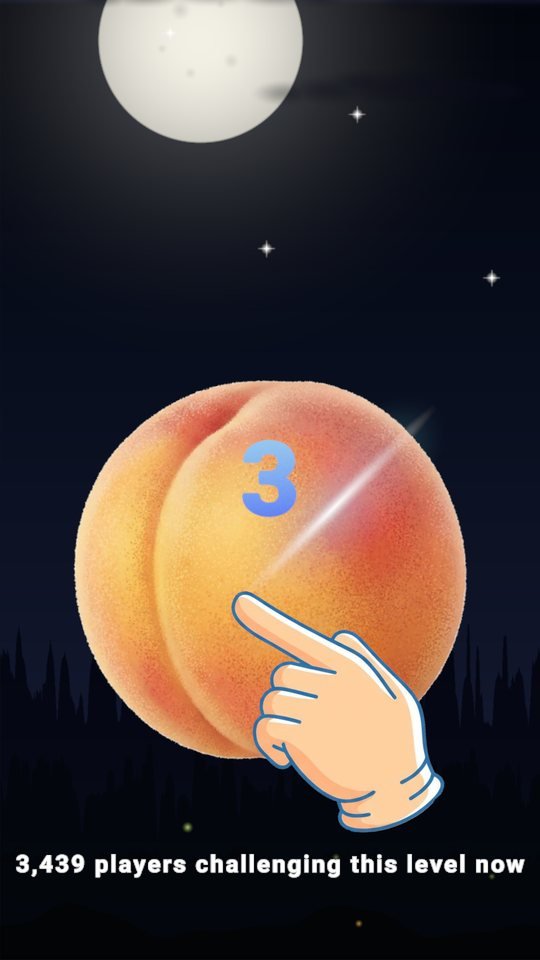
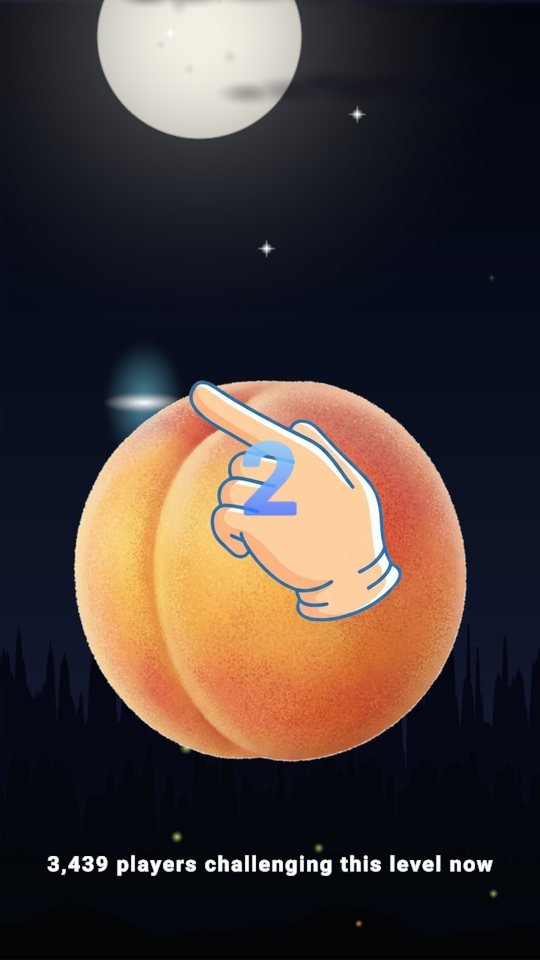

* The player count in the line near the bottom of the screen is the value at capture time. The hand drawn in the countdown shots was added by the capture tool and is not part of the game screen.
When the count ends, input opens
Only after 3 · 2 · 1 can you draw a line, and the time limit starts running. Level 1 gives you 15 seconds and the target is fixed at 2 pieces. During the input window you just touch anywhere on the screen and drag. You do not need to start on the object.
 Step 3: input is open. No line has been drawn yet.
The line shows only while you drag
Touch and drag, and a glowing trail follows your finger. This is the line from the start of this post. But the trail is only a marker shown while you draw. Nothing has actually been cut yet. If you bend your stroke, each bend fixes one more line, and any stretch shorter than 0.15 world units is ignored. Level 1 needs just two pieces, so one straight stroke is enough.
 Step 4: the glowing trail you see mid-drag.
Lift your finger and everything is cut at once
When you lift, the trail disappears and the object still looks whole, because the game applies the lines you drew all at once only after input ends. There are three ways to end a run: the time limit runs out, you press the Done button that appears near the top about 1.2 seconds later, or, once you have drawn at least the target piece count minus one and kept your finger off the screen, it completes automatically after 1.5 seconds. On level 1, one line meets that condition.
 Right after lifting: the line is gone, the object is unchanged, and the Done button is showing.
Once it ends, the result plays out in order. The cut plays, it pauses briefly, the pieces drift apart, the pieces get numbers 1 and 2 in turn, and the result appears 1 second later. The animation below shows that flow.
 Result sequence: split, drift apart, then numbers, in that order.
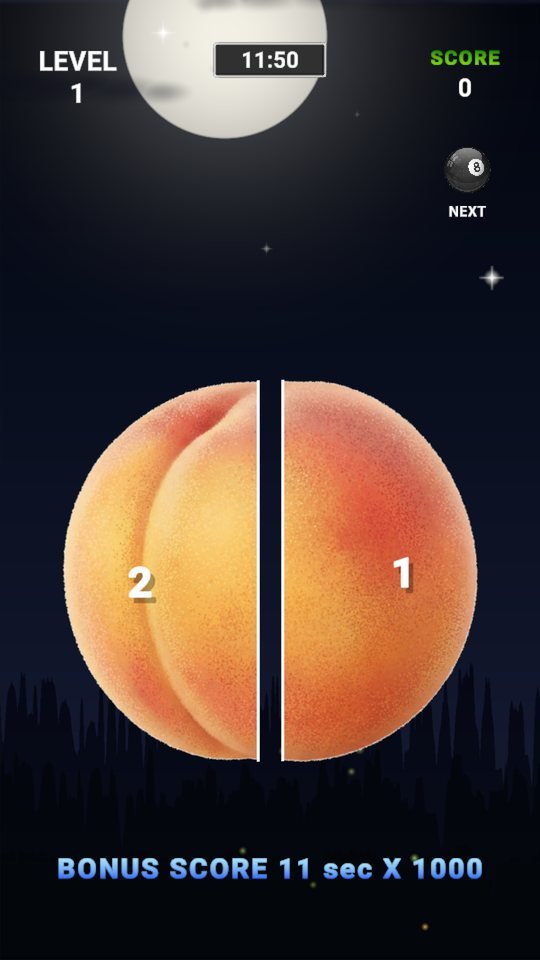 With the numbers on, the result screen follows shortly.

Play SliceMaster now
Playing it is much faster than reading about it.
Find the other Master Series games all in one place at hanilab.app.
More from this game
 Team Done Button vs. Team Wait — a SliceMaster Done Button Broadcast
 SliceMaster Bottom Bar: A Guidebook to the 6 Tabs, HOME to MORE
 15 s at Level 1, 10 s at Level 100, x0.45 at Level 400: SliceMaster Difficulty in Numbers
 Why Does the Broom Only Appear at Level 52? The SliceMaster Object Pokedex
🌌 Universe stories
 Roddy Universe, Part 2 — Fallen Down, Only One Step Back at the Roadside
 Roddy Universe, Part 1 — One Beat Before Crossing, the Empty Road Between the Cars
 Bombi Universe, Part 2 — Behind You: The Reaper That Walks Through Walls
Try other games
 FindMaster
 LottoMaster
 TakMaster


